Inquiring on Payments Using PeopleSoft Fluid
eSettlements Fluid Payment Inquiry pages allow external Supplier users the ability to view and inquire payment details using Fluid pages.
Pages Used to Inquire About Payments Using PeopleSoft Fluid
| Page Name | Definition Name | Usage |
|---|---|---|
|
EM_SEL_PYMT_INQ_FL |
View and inquire a payment. |
|
|
EM_PYMNT_INQ_FL |
View payment details. |
Payment Inquiry Page
Use the Payment Inquiry page (EM_SEL_PYMT_INQ_FL) to view and inquire a payment.
Navigation:
.
Note:
The Payment Inquiry page can also be rendered on small form factor devices such as a smartphone; the columns that are displayed are optimized on small form factors.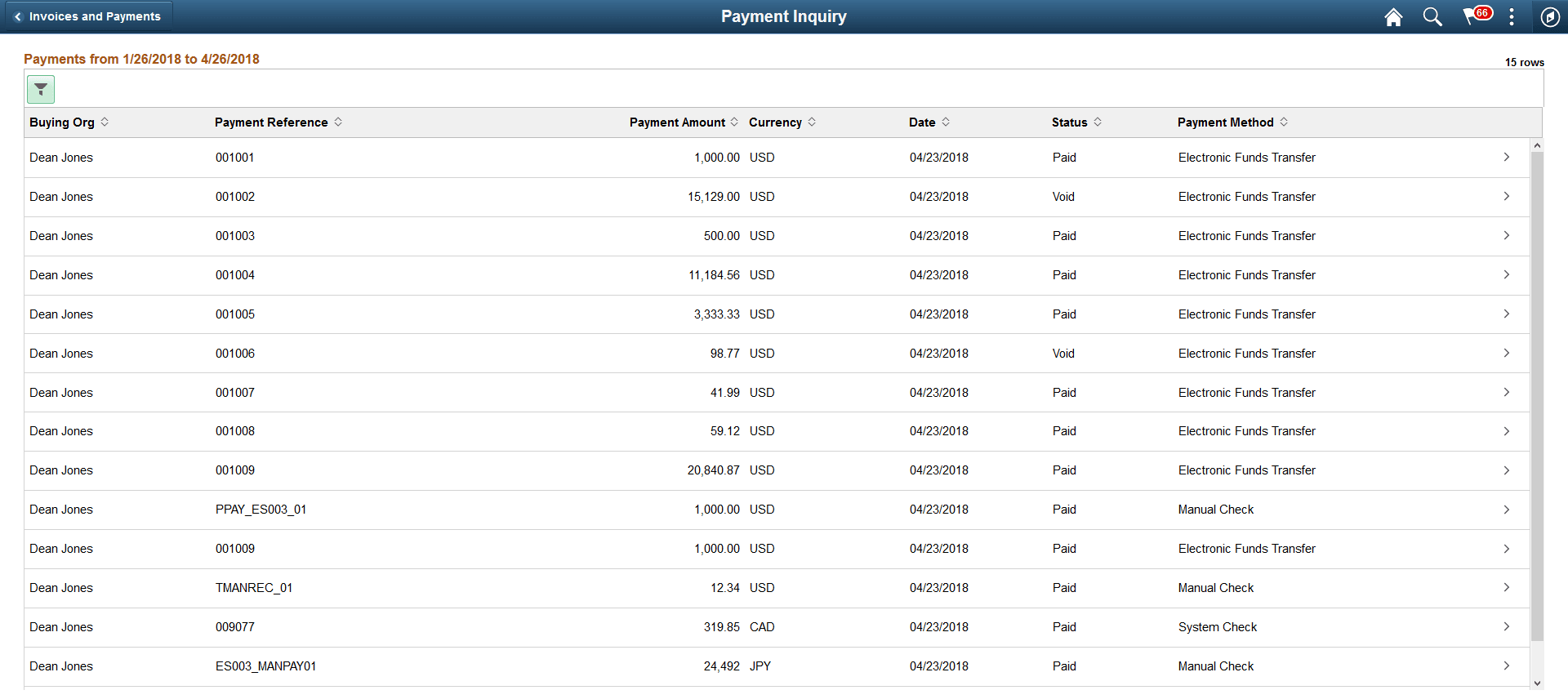
The Payment Inquiry page displays a list of payments that match the filter criteria. From this list of payments, a Supplier user can select a payment to inquire.
| Field or Control | Description |
|---|---|
|
|
Select to access the Filters page and search for payments based on payment date or other criteria. The From/To Dates indicate the default date range for the Payments is derived from the transaction limit setup. For more information on Transaction limits set up, see Review Buyer Details - Registration Page. If no transaction limits are set up, the default date range is 90 days. You can refine your search based on Payment Status, Remit Supplier, or Remit Location. Payment Reference is used to search for payments using a specific payment reference number. Amount Reference indicates a range for an amount. If Amount reference is selected, an amount must be entered in the Amount field. |
|
|
Select to sort the columns in the ascending or descending order. By default, the payments are sorted by the Payment date in the descending order. |
|
|
You can use the Personalize icon on each grid to reorder/ hide columns and sort columns by order. For more information, see PeopleTools Applications User’s Guide, “Working With the PeopleSoft Fluid User Interface", Working with Fluid Pages and Controls. |


Payment Details Page
Use the Payment Details page (EM_PYMNT_INQ_FL) to view payment details. This is a display-only page.
Navigation:
. Select a payment from the payments list.
Note:
The Payment Details page can also be rendered on small form factor devices such as a smartphone. The columns that are displayed are optimized on small form factors.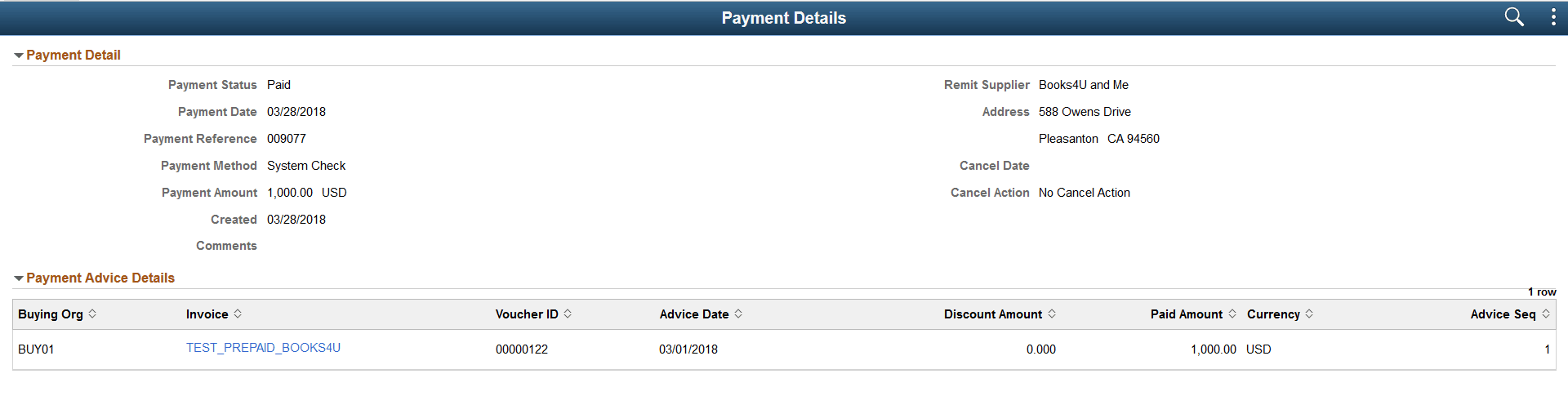
The Invoice column displays a hyperlink that redirects you to the Invoice Details page to view more details about an invoice that was paid within this payment. A payment can include more than one invoice.