My Preferences - Expense History Page
Use the My Preferences - Expense History page (EX_MY_PREF_FL) to configure search criteria for the expense history.
Navigation
This example illustrates the fields and controls on the My Preferences - Expense History page. You can find definitions for the fields and controls later on this page.
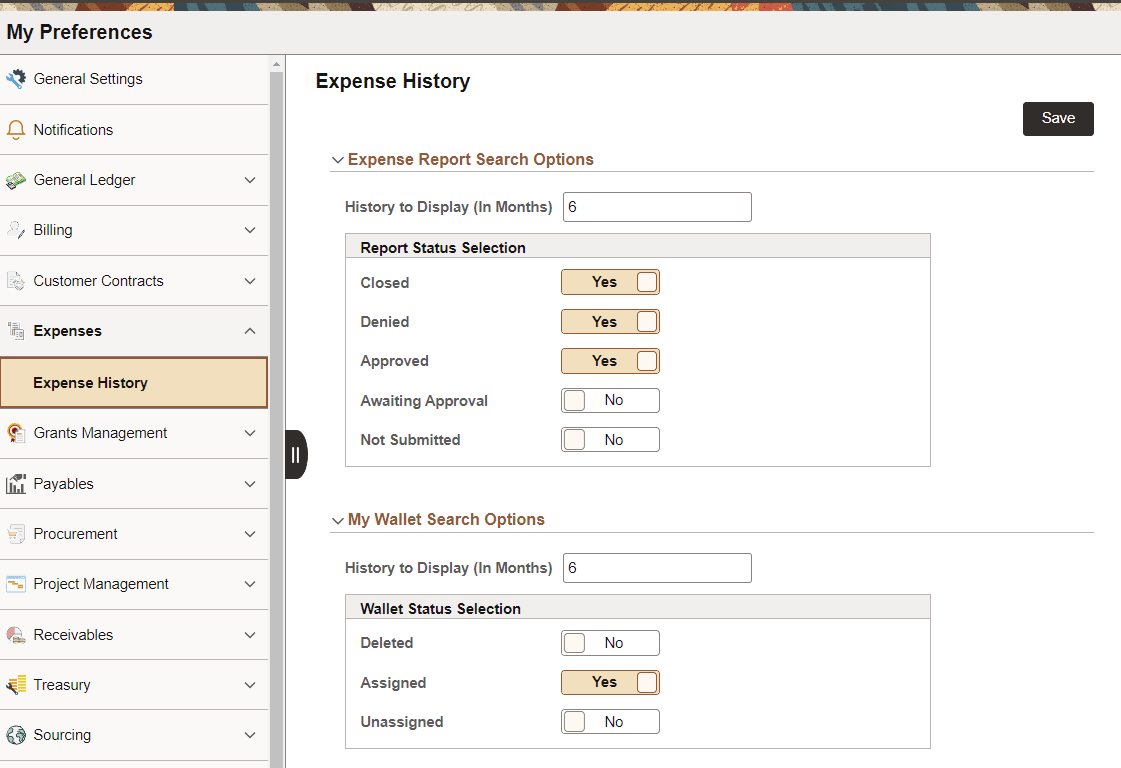
Select your preferences to determine how history displays on the Expense History page.
| Field or Control | Description |
|---|---|
|
History to Display (In Months) (report or wallet) |
Enter the number of months that you want to display your history of expense reports or wallet transactions. By default, the system displays the last 6 months of your data. |
|
Report or Wallet Status Selection |
Select whether you want to see expense reports that have each status. |