Viewing Analytics in PeopleSoft Fluid
Pages Used to View Analytics in PeopleSoft Fluid
| Page Name | Definition Name | Usage |
|---|---|---|
|
EX_ANALYTICS_SCF |
View summary information of the current expense report. |
View Analytics Page
Use the View Analytics page (EX_ANALYTICS_SCF) to view summary information of the current expense report.
Navigation:
.
The Additional Information section of the Expense Summary page displays the View Analytics section.
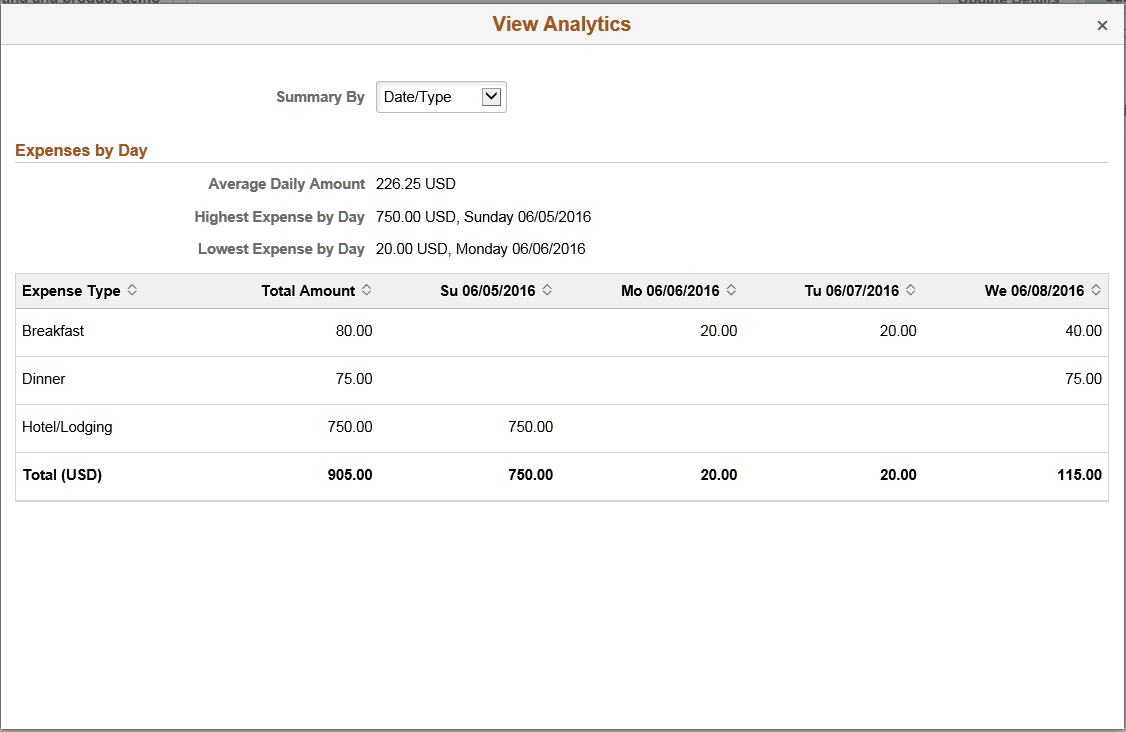
Drill down on the View Analytics section to view analytics about the expense report. This View Analytics page helps you review your report at a glance by Expense Type, Department, and Project/Activity.
Select a summary view from the Summary drop down list box. The default view is Expense Type.
This example illustrates the fields and controls on the View Analytics page.
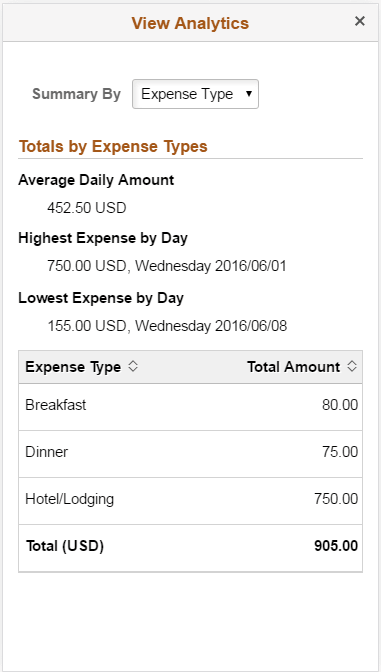
This example illustrates the fields and controls on the View Analytics page on a tablet.