General Ledger WorkCenter Page (Fluid)
Use the General Ledger WorkCenter page to access frequently-used areas according to your role and security using the PeopleSoft Fluid User Interface.
Navigation:
Select the General Ledger WorkCenter tile.
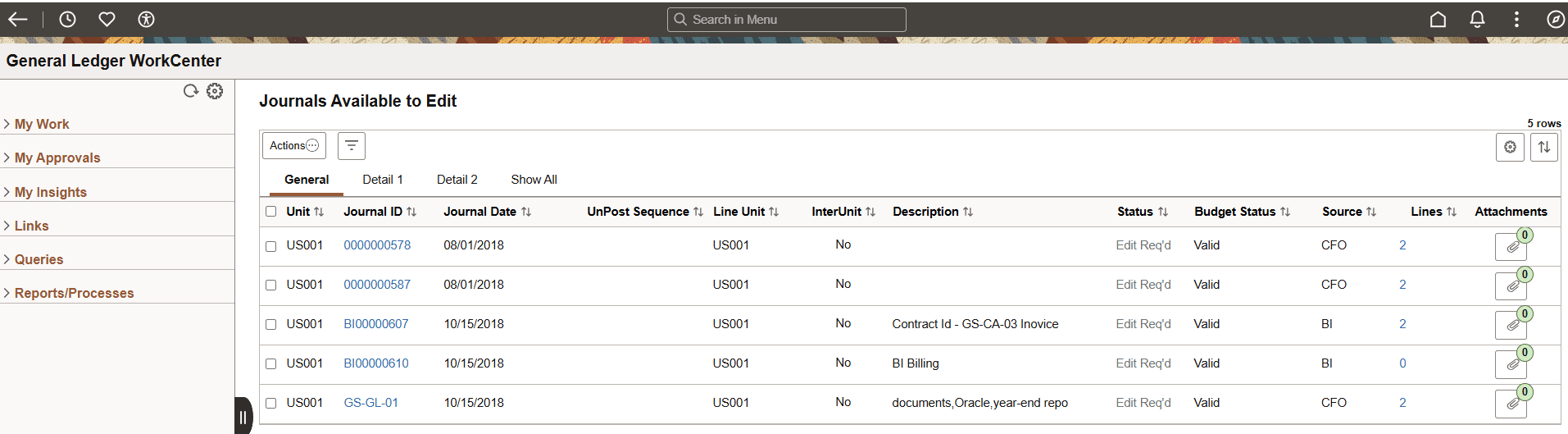
This example illustrates the fields and controls on the General Ledger WorkCenter Page (Fluid).
Use the Enterprise Components: Configure Pagelets - WorkCenter/Dashboard Page to determine the sequence of the expandable sections in the left hand navigation pane.