My Preferences - Period Close Visualization Page
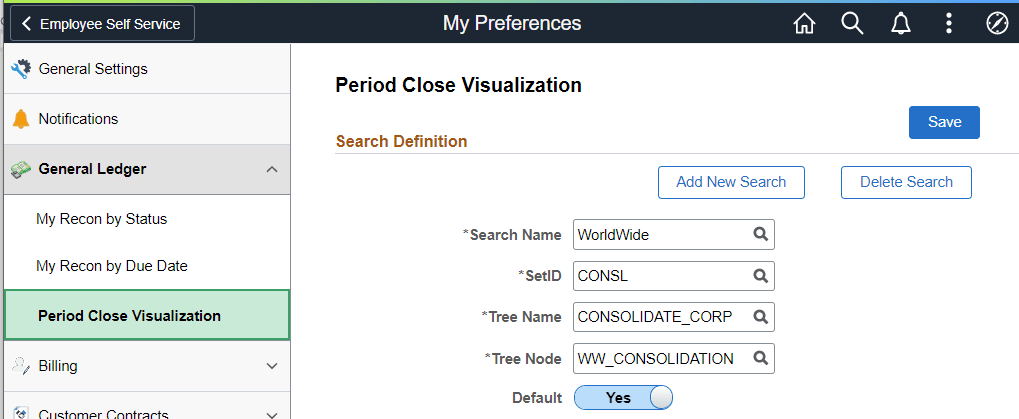
Use the My Preferences - Period Close Visualization page (GL_BUVISUL_SRCH_FL) to determine the tree that is displayed when performing a search on the Period Close Visualization page.
Navigation:
This example illustrates the fields and controls on the My Preferences - Period Close Visualization page.
Note:
The Tree and Tree Nodes are used for Period Close Visualization.
| Field or Control | Description |
|---|---|
|
Delete Search |
Select to access the Delete Saved Searches page where you can delete previously defined searches. Note that the default search cannot be deleted unless you designate another search as the default first. |
|
Search Name |
Enter a name or value that is meaningful to you. This value is used when accessing the Period Close Visualization search page. |
|
Tree Name and Tree Note |
Select the business unit tree and the tree node that you want to view in the Period Close Visualization page. (For example see Period Close Visualization Page (Level 1 - Compact View). You can create multiple tree and tree node search combinations but only one can be defined as the default. |