Simple Journal - Approvals Page
Use the Simple Journal - Approvals page (SJ_JRNL_APPR_FL) to view approval status of the selected journal.
Navigation:
.
Click the Search button to view the available journals for the selected Business Unit. Select required Journal ID and click Approvals from the left menu.
This example illustrates the fields and controls on the Simple Journal - Approvals page.
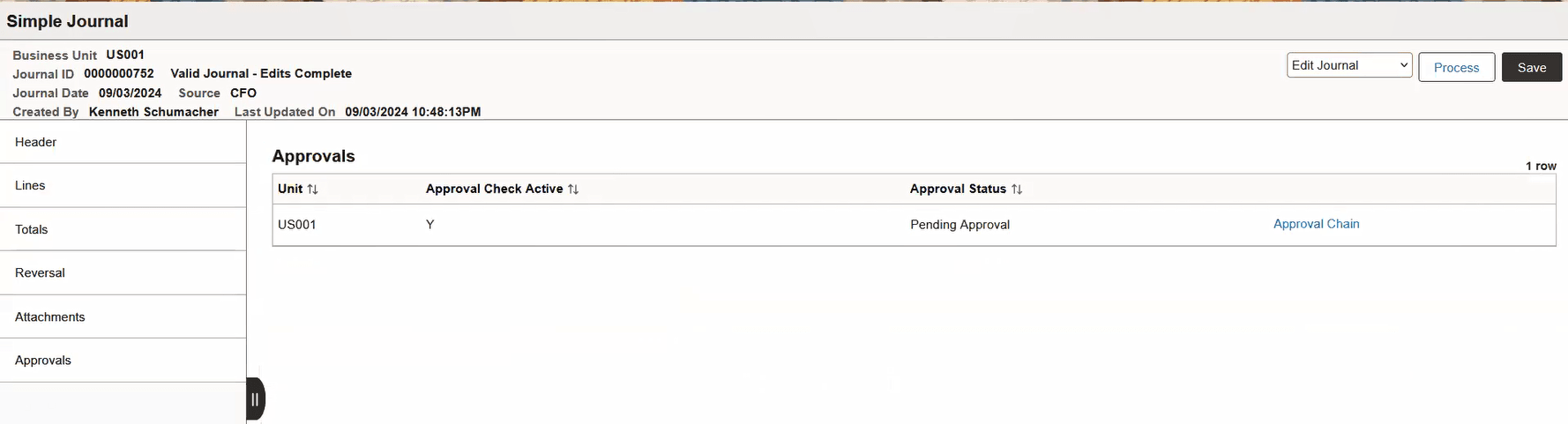
Approvals section appears on the right pane only after the journal entry is processed.
| Field or Control | Description |
|---|---|
|
Approval Status |
Displays the approval status once the journal entry is submitted. |
|
Approval Chain |
Click to open the Approval Chain modal window. You can view the approval chain details and comments. Note: The Approval Chain link appears only if there are approvals directed to users. Approvals are by default configured as pre-approved. |
|
Journal Approval - Comments |
When selecting Submit Journal and then the Process button, the Journal Approval Comments window appears where you can optionally enter comments. These comments stay with the journal even if the journal is denied. |