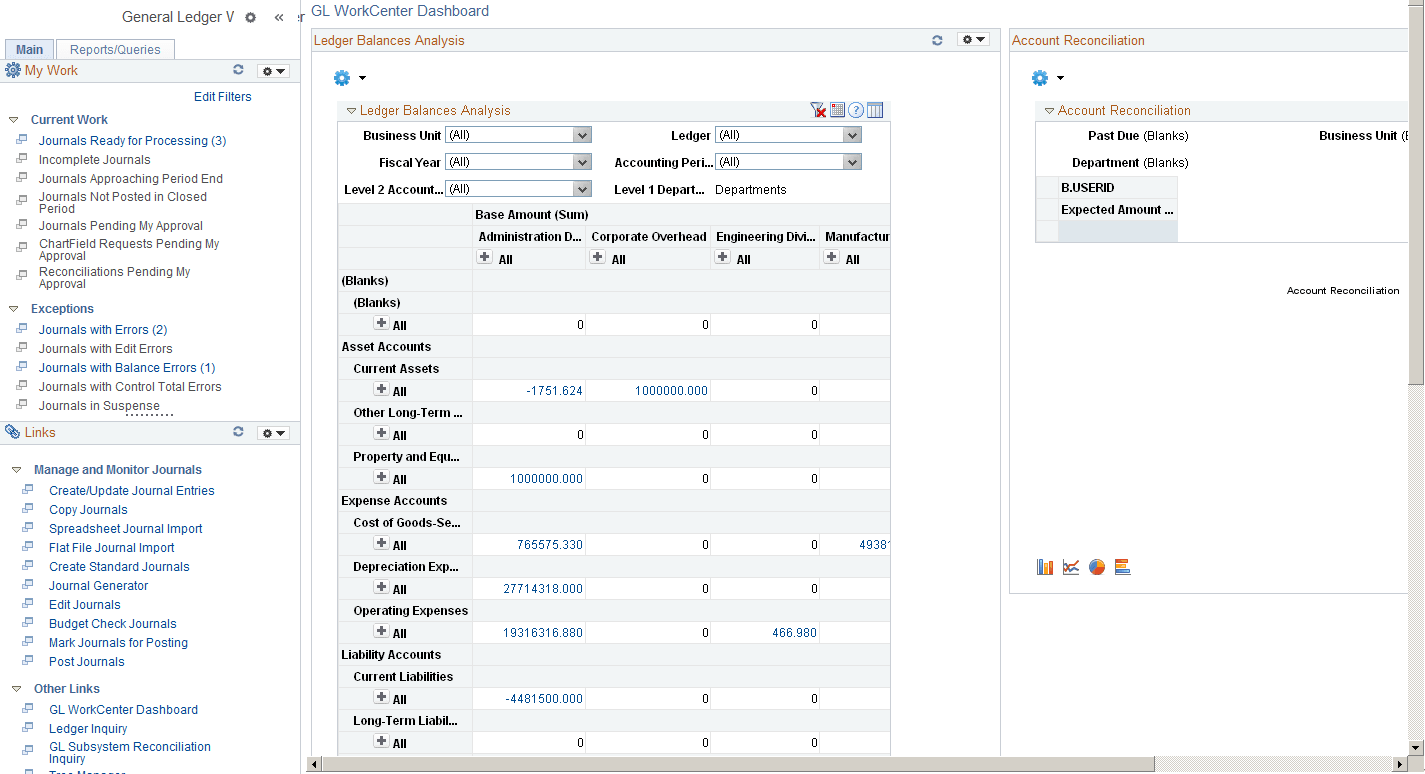
Using the PeopleSoft Classic General Ledger WorkCenter Dashboard
Use the PeopleSoft Classic General Ledger WorkCenter Dashboard to display portal pagelets that provide metrics, pivot grids, and graphics with information in various stages of completion in one aggregated location in the WorkCenter.
You can access the General Ledger Dashboard directly (General Ledger, GL Dashboard), or you can access it from within your PeopleSoft Classic General Ledger WorkCenter, Links pagelet (PTPG_PGVIEWER):
Navigation:
This example illustrates the fields and controls on the GL WorkCenter Dashboard. You can find definitions for the fields and controls later on this page.