Setting Up the GST Organizational Structure
You can define registration data at the organization setup level. You can also associate multiple business units with an Organization and capture business unit tax applicability. This section discusses how to set up the organizational structure.
Pages Used to Pages Used to Set Up the GST Organizational Structure
| Page Name | Definition Name | Usage |
|---|---|---|
|
ORG_RGSTN_DTL_GST |
Define GST data at the organizational level. |
|
|
STX_RGSTN_DTL_GST |
Define GSTIN registration data at the organizational level. |
|
|
HSN_CODE |
Enter the HSN code for the given good. |
|
|
SAC_CODE |
Enter the SAC code for the given service. |
|
|
ORG_BU_TAX_APPL |
Assign a business unit to an organization and tax location code, and specify the business unit's GST and customs duty applicability. |
Organization Details Page
Use the Organization Details page (ORG_RGSTN_DTL_GST) to define GST data at the organizational level.
Navigation:
This example illustrates the fields and controls on the Organization Details Page. You can find definitions for the fields and controls later on this page.
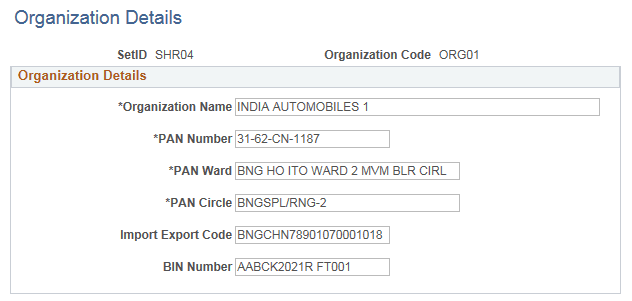
| Field or Control | Description |
|---|---|
|
PAN Number (permanent account number) |
Enter the number that is assigned by the income tax authority to identify the organization's tax returns. This number is usually a 10-digit alphanumeric code. Oracle allows you to enter a 20-digit alphanumeric value. |
Registration Details Page
Use the Registration Details page (STX_RGSTN_DTL_GST) to define GSTIN data at the organizational level.
Navigation:
This example illustrates the fields and controls on the Registration Details Page. You can find definitions for the fields and controls later on this page.
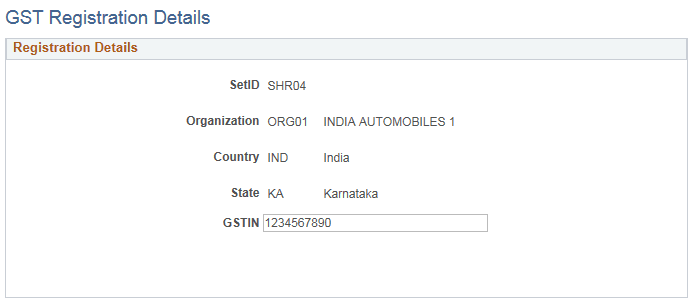
| Field or Control | Description |
|---|---|
|
GSTIN |
Enter the GSTIN number for the taxable entity |
HSN Code Page
Use the HSN Code page (HSN_CODE) to assign an HSN code for a given good.
Navigation:
This example illustrates the fields and controls on the HSN Code Page. You can find definitions for the fields and controls later on this page.
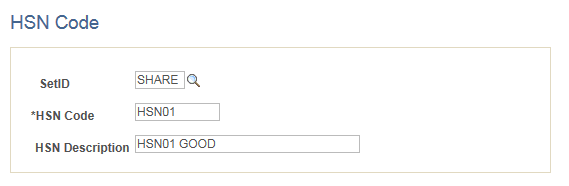
| Field or Control | Description |
|---|---|
|
HSN Code |
Enter the HSN code for the given good. HSN codes must be 4, 6, or 8 numbers in length and valid as per government specifications. |
SAC Code Page
Use the SAC Code page (HSN_CODE) to assign a SAC code for a given service.
Navigation:
This example illustrates the fields and controls on the SAC Code Page. You can find definitions for the fields and controls later on this page.
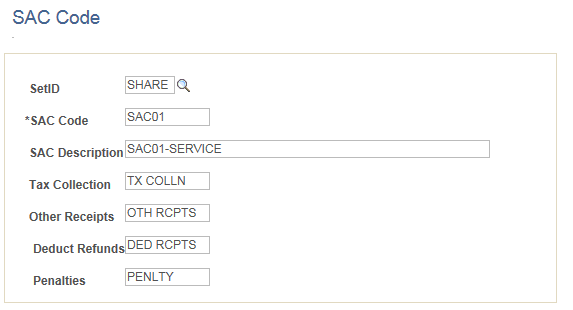
| Field or Control | Description |
|---|---|
|
SAC Code |
Enter the SAC code for the given service. SAC codes must be 4, 5, or 6 numbers in length and valid as per government specifications. |
Business Unit Tax Applicability Page
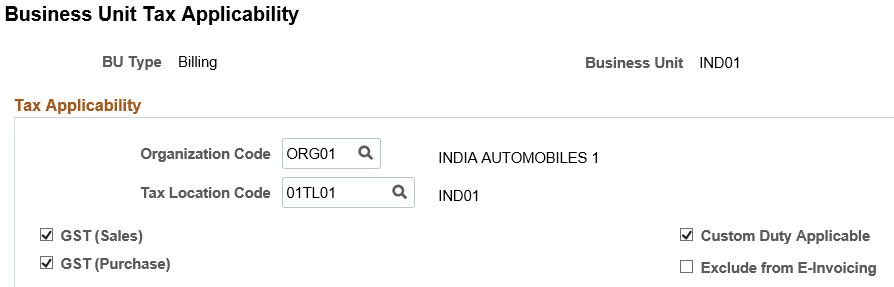
Use the Business Unit Tax Applicability page (ORG_BU_TAX_APPL) to assign a business unit to an organization and tax location code, and specify the business unit's GST and customs duty applicability.
Navigation:
This example illustrates the fields and controls on the Business Unit Tax Applicability page.
| Field or Control | Description |
|---|---|
|
GST (Sales) |
Select this check box to enable GST for the Order to Cash cycle. |
|
GST (Purchase) |
Select this check box to enable GST for the Procure to Pay cycle. |
|
Exclude from E-Invoicing |
Select to indicate that PeopleSoft Billing excludes specific Billing business units from the E-Invoicing process. The Billing business unit displayed on the page is excluded from E-Invoicing requirements. |