Award Teams
Use the Award Team Tile to view names of people associated with the award.
Navigation:
This example illustrates the fields and controls on the Award Teams Tile.
Navigation:
Select the Award Teams Tile to access the associated page.
This example illustrates the fields and controls on the Award Teams page.
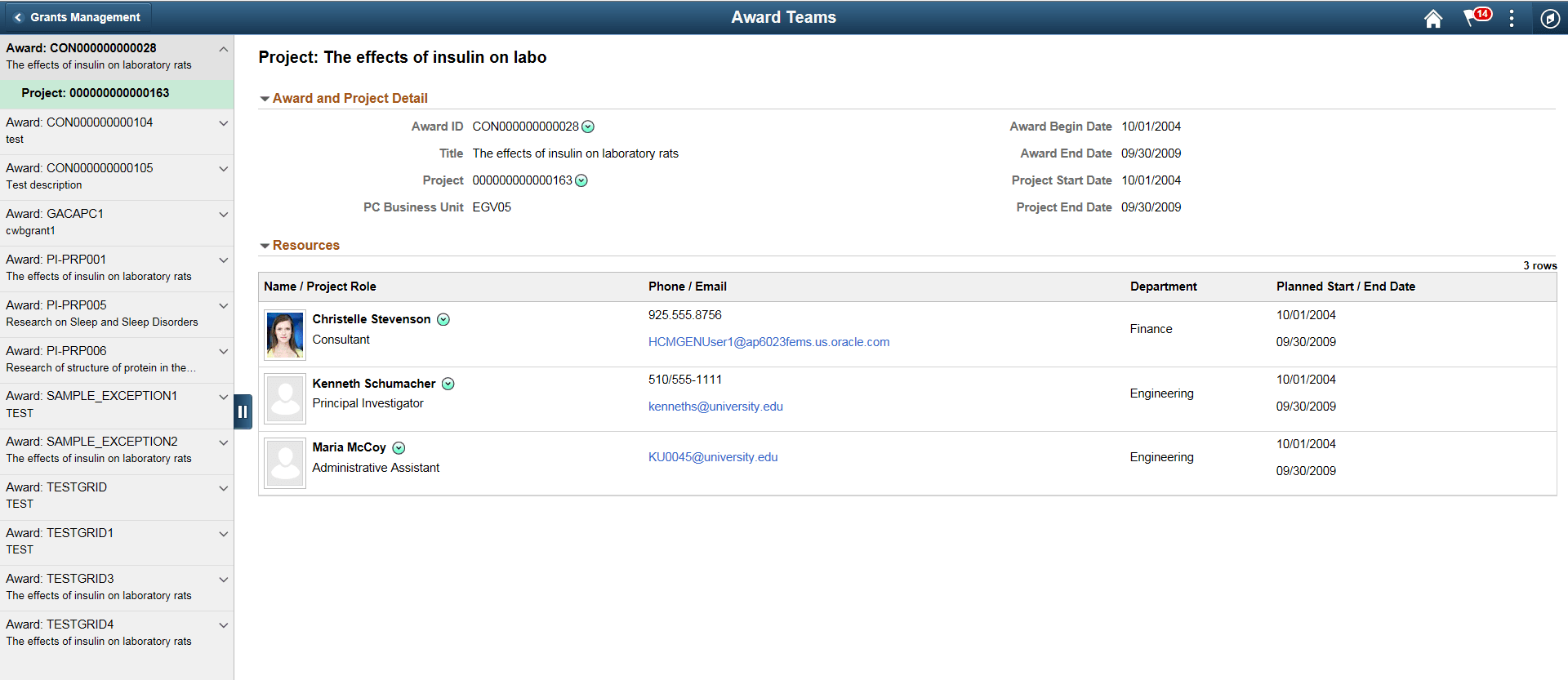
Details on the left hand panel enable you to select awards and projects. When you select a project on the left, associated details display on the right hand side. The available related Actions located next to Award ID and Project details are:
-
Update Award
-
Update Contract
-
Update Project
-
Add Resource
-
Notify
Note:
You can send an email to a member of the team using the Notify action next to that person's name.