Using the Fluid User Interface to Access Frequently Used Grants Pages
This topic discusses how to navigate through Grants using the PeopleSoft Fluid User Interface. Users can perform various tasks such as creating proposals, generating and maintaining awards.
Page Used to Access Frequently Used Grants Pages
| Page Name | Definition Name | Usage |
|---|---|---|
|
EP_GM_GRANTSLIFECYCLENC_FL_GBL |
Access a collection of frequently used Grants components from a single location. |
Grants Tile
Grants administrators use the Grants tile to access a collection of Grants components.
Navigation:
(You can add the Grants tile to the Fluid home page using the Personalize HomePage function).
This example illustrates the Grants tile for the tablet.

Grants LifeCycle Page
Click the Grants tile to access the Grants LifeCycle navigation collection.
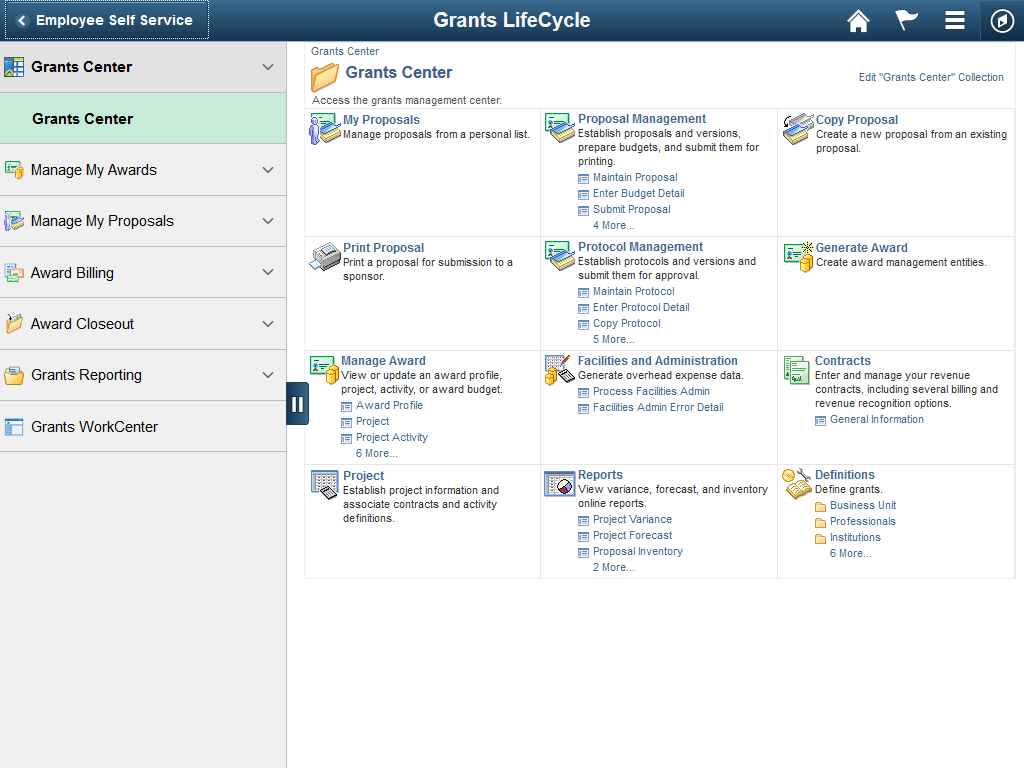
This example illustrates the Grants LifeCycle page for the tablet.
This example illustrates the Grants LifeCycle page for the smartphone.
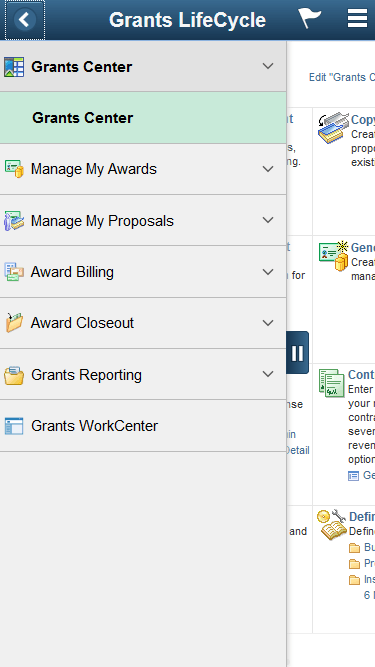
This navigation collection enables administrators to access frequently used Grants components from a single location. The left panel of this page lists the components collected under seven categories:
-
Grants Center
-
Manage My Awards
-
Manage My Proposals
-
Award Billing
-
Award Closeout
-
Grants Reporting
-
Grants WorkCenter
The right panel displays the component selected in the left panel.