Define the Reserve Materials Run Control
Access the Reserve Materials process page (Inventory, Fulfill Stock Orders, Stock Requests, Reserve Materials Process) :
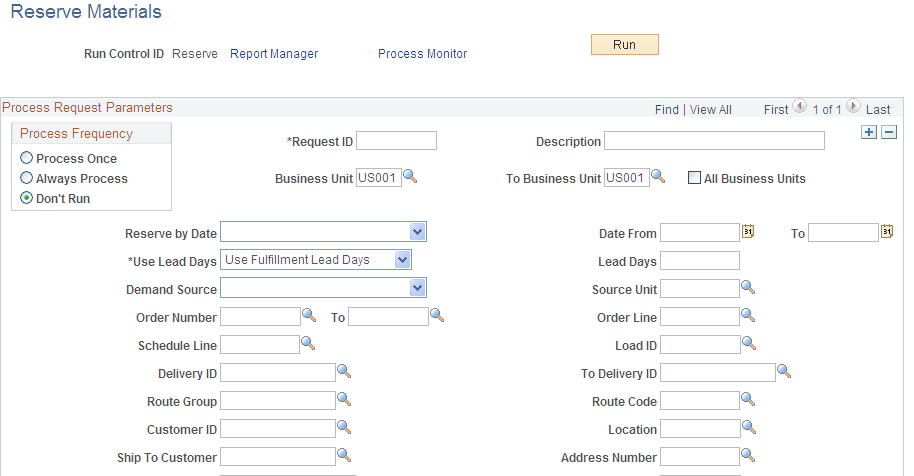
This example illustrates the fields and controls on the Reserve Materials process page (1 of 2). You can find definitions for the fields and controls later on this page.
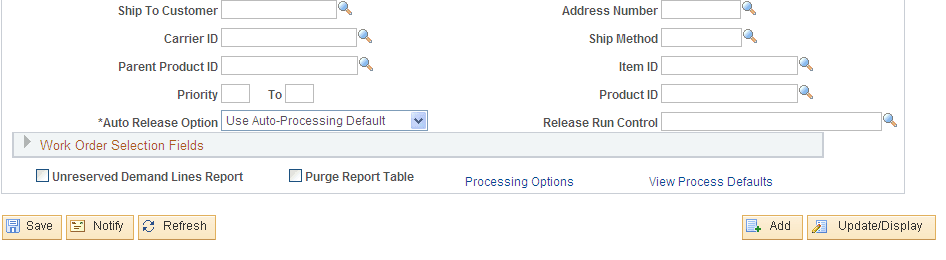
This example illustrates the fields and controls on the Reserve Materials process page (2 of 2). You can find definitions for the fields and controls later on this page.
On the Reserve Materials page, define a new run control that uses auto-processing. In this scenario, use the auto-ship method to select Unfulfilled demand lines and move them to the Released state where the Order Release process selects the lines and moves them to the Shipped state. You name this run control AUTO_SHIP and complete the following information:
-
Enter the selection criteria for the unit of work.
The selection is based on the search criteria entered on the fields from Business Unit to Product ID. In the page shot above, you have selected demand lines in the inventory business unit of US010 with a scheduled shipment date between September 1st and 5th of 2009 that use the carrier ID FAST.
-
In the Auto Release Option field, select an option to advance the demand lines to the Released state.
-
In the page shot above, you have chosen the field value of Advanced to Released. In this case, you must also enter a value in the Release Run Control field.
-
You could have chosen the field value of Use Auto-Processing Default for the Auto Release Option field. If you had chosen this option, then the system would use the default options for the Reserve Materials process defined under the Auto-Processing Options tab of the Setup Fulfillment-Fulfillment Task Options page (business unit level) or the Fulfillment Engine Options page (SetID level).
-
-
In the Release Run Control field, select an Order Release run control that you have defined for this auto-processing flow.
In this example, enter AUTO_SHIP, the Order Release run control defined in the first step. You have chosen the field value of Advanced to Released in the Auto Release Option field, therefore; Enter a predefined run control for the Order Release process. This run control contains the parameters to be used when auto-processing orders after the Reserve Materials process.