Manual Count Page
Use the Manual Count page (COUNT_INF_DE_INV) to enter count results into the system.
Navigation:
This example illustrates the fields and controls on the Manual Count page. You can find definitions for the fields and controls later on this page.
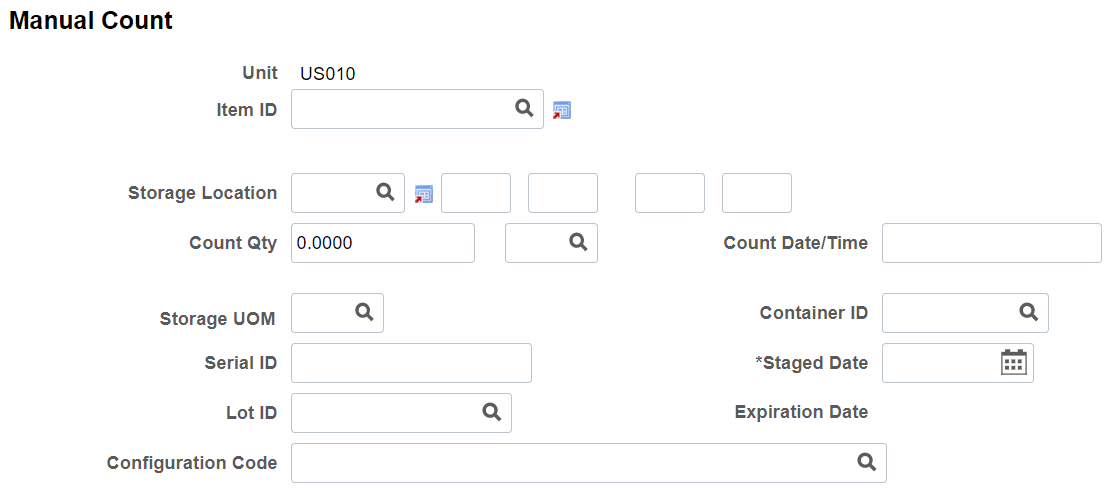
The Manual Counting page is used to manually enter your count results. This page runs in deferred mode. Therefore all page edits are performed when you save the page.
Depending on the item and the setup parameters, other fields may be required:
-
If the item is lot controlled, enter the Lot ID.
-
If the item is serial controlled, enter the Serial ID.
-
If you use staged-date tracking, enter the Staged Date.
| Field or Control | Description |
|---|---|
|
Count Date/Time |
Update this field if you have not frozen the storage location. If you do not make an entry, the system enters the current date and time in the field when you save the page. Transactions occurring since the creation of the counting event are not taken into account when the system makes adjustments for the location. |
|
Lot ID, Serial ID, Expiration Date, Staged Date, Qty Reserved, Storage Location and Configuration Code |
These fields display depending on setup on the Business Unit Display Options page. |
Note:
The Manual Count and Update Manual Count pages allow you to select item status in the Look Up Item ID prompt. The Look Up Item ID prompt lists the statuses only if you enable the Use Status For Counting option on the Business Unit Options page.
Related Topics