Moving Orders to the Shipped State
These direct processing methods enable you to move demand lines to the shipped state, bypassing any fulfillment steps that are unnecessary in your environment.
Use the front-end shipping requests to move demand lines from an unfulfilled or releasable state to a shipped state. The shipping request can be launched by the:
-
Front-end Shipping Requests process page.
-
Fulfillment Workbench using the action of front-end ship.
-
INVENTORY_FRONT_END_SHIPPING EIP. In addition, this service operation can be used to create a new MSR or add a new demand line to an existing MSR.
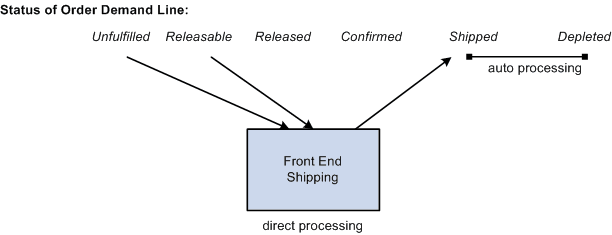
The following diagram illustrates the front-end shipping options. Order lines can be retrieved from the unfulfilled or releasable fulfillment states and placed directly into the shipped fulfillment state. Auto processing can be used to send the lines to the depleted fulfillment state:
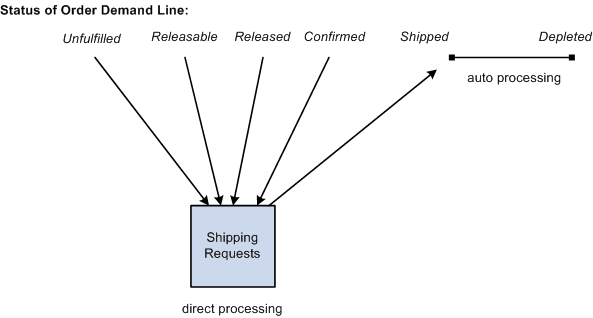
Use the shipping requests to move demand lines from an unfulfilled, releasable, released, or confirmed state to a shipped state. The shipping request can be launched by the:
-
Shipping Requests process page.
-
Fulfillment Workbench using the action of ship.
-
INVENTORY_SHIPPING EIP. In addition, this service operation can be used to create a new MSR or add a new demand line to an existing MSR.
The following diagram illustrates the shipping request options. Order lines can be retrieved from the unfulfilled, releasable, released, or confirmed fulfillment states and placed directly into the shipped fulfillment state. Auto processing can be used to send the lines to the depleted fulfillment state: