Order Release Detail Page
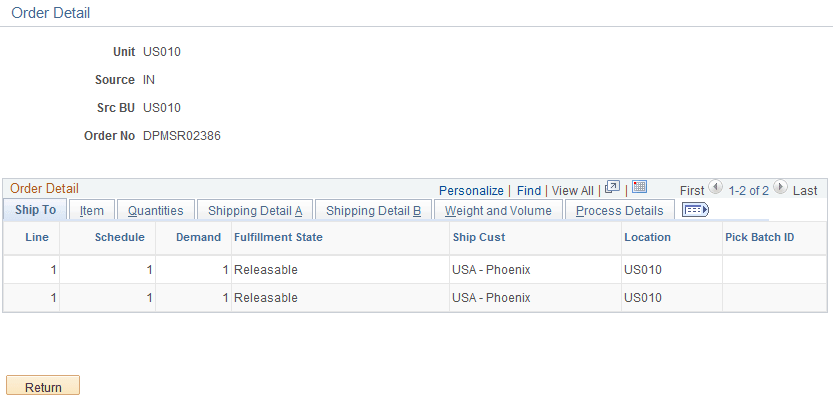
Use the Order Release Detail page (IN_FUL_RLS_OD_SEC) to view order line information for the orders that appear on the Order Release Selection group box.
Navigation:
Click a linked order number in the Order Release Selection group box of the Order Release Request page.
This example illustrates the fields and controls on the Order Release Detail page. You can find definitions for the fields and controls later on this page.
Note:
Order release processing only retrieves schedule lines that fall within valid scheduled ship dates and times. If the business unit requires closure calendar validation and processing for shipping activities as defined on the Closure Calendar page, and if the picking lead days include closure dates, the system adds one day to the number of picking lead days for every closed day and compares the result to the scheduled ship date. Therefore, the lead days include only open business days. Times are not included in these calculations.
| Field or Control | Description |
|---|---|
|
Export |
Identifies whether the shipment is a sales order or an intercompany transfer requiring export shipment documents. |
|
Weight and UOM |
The weight of the pieces in this order line, expressed in the unit of measure defined on the Setup Fulfillment page. |
|
Volume and UOM |
The volume of the pieces in this order line, expressed in the unit of measure defined on the Setup Fulfillment page. |
Note:
The weight and volume are based on the stocking weight and volume established on the Define Business Unit Item - Inventory: Weight/Volume page; if this information is unavailable, the weight and volume are based on the item weight and volume established on the UOM Weight/Volume page.