File Overrides Page
Use the File Overrides page (IN_FUL_RLS_EX_SEC) to review or change the file directory and file name for the picking extract file, item usage labels, or carton labels.
The default values are set on the Setup Fulfillment-Electronic Fulfillment page.
Navigation:
Select the File Overrides link on the Order Release Request page.
This example illustrates the fields and controls on the File Overrides page. You can find definitions for the fields and controls later on this page.
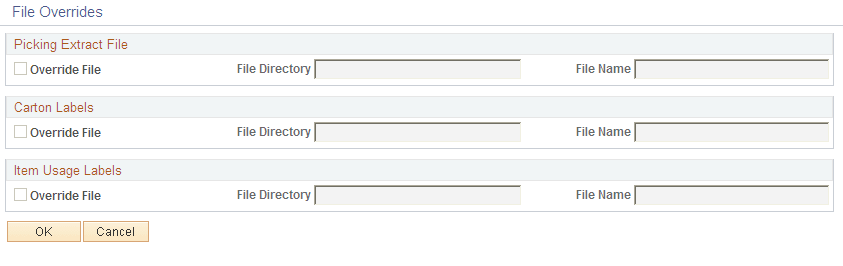
The default values come from the Setup Fulfillment-Electronic Fulfillment page and the Setup Fulfillment-Pick Plan Label page.
| Field or Control | Description |
|---|---|
|
Override File |
Select to override the default file directory and file name for the picking extract file, the shipping carton labels extract file, or the item usage labels extract file. The directory is selected according to the following hierarchy:
The file is named according to the following hierarchy:
|