Processing Large Orders
The Fulfillment Workbench can be used to quickly process large orders without loading the data into the component's queue. For example, let us assume that the order MSR0000027 has 2,000 demand lines. You want to ship this order.
An authorized user can navigate to the Fulfillment Workbench page (Inventory, Fulfill Stock Orders, Fulfillment Workbench) and enter the following:
-
In the Action field, select the option Ship.
-
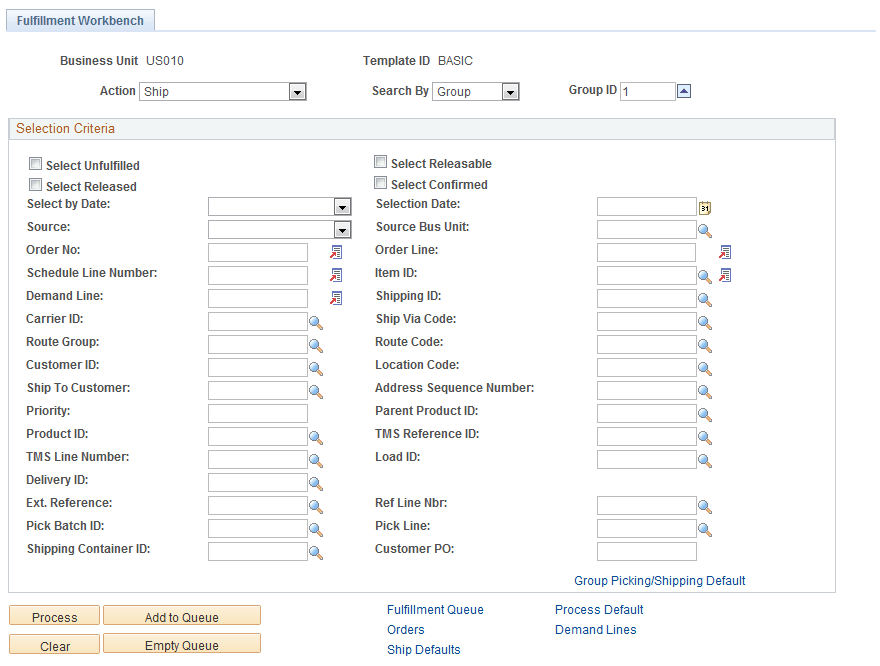
Enter the search criteria in the Selection Criteria group box to identify the large order. For this order you select the check boxes for the fulfillment states of the demand lines (Select Unfulfilled, Select Releasable, Select Released, Select Confirmed). You enter specific information in the Source, Source Bus Unit, and Order No fields in order to pick up just this order.
-
Click the Process button to write the transaction request to the staging tables. The transaction request can now be processed by the fulfillment engine using the Fulfillment Requests process. If you have selected automatic schedule processing on the Processing Defaults page of this workbench (use the Process Default link) or the Setup Fulfillment - Fulfillment Engine page, then the Fulfillment Requests process is launched when you click this button.
This example illustrates the fields and controls on the Fulfillment Workbench page . You can find definitions for the fields and controls later on this page.
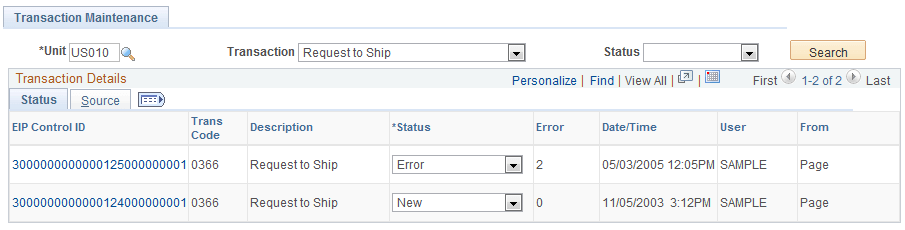
Use the Transaction Maintenance page (SCM Integrations, Transaction Error Handling, Maintain Transactions, Transaction Maintenance) or the Message Log to monitor the status of your transaction.
This example illustrates the fields and controls on the Transaction Maintenance page. You can find definitions for the fields and controls later on this page.
In order process this transaction. The system must have been properly setup. For more information on the setup of the Fulfillment Workbench, see the "Utilizing the Fulfillment Engine" topic.
See Understanding Fulfillment Engine Processing Groups and Commit Levels.