Updating Item Usage Totals
Page Used to Update Item Usage Totals
| Page Name | Definition Name | Usage |
|---|---|---|
|
RUN_IN_USG_DSKTP |
Update material usage records for a specific item, an item category, or all items in a business unit. |
Related Topics
Populate Usage Desktop Page
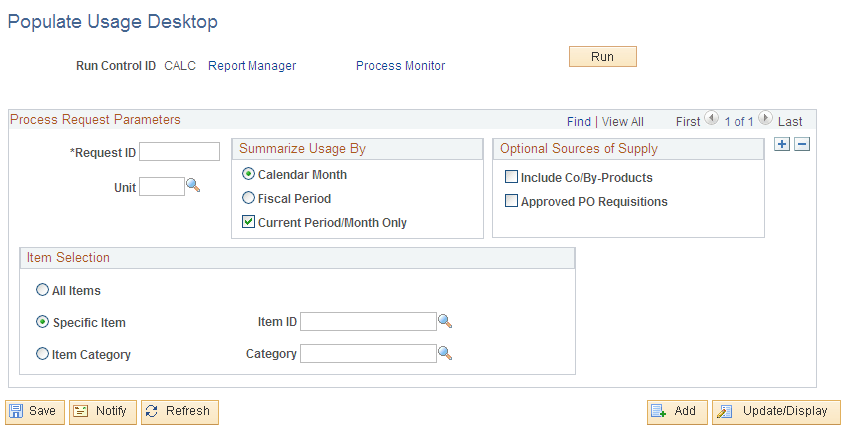
Use the Populate Usage Desktop page (RUN_IN_USG_DSKTP) to update material usage records for a specific item, an item category, or all items in a business unit.
Navigation:
This example illustrates the fields and controls on the Populate Usage Desktop process page.
Usage Summaries
When you select Fiscal Period, the system uses the start and end dates for the current and last 11 periods. When you select Calendar Month, the system uses the first and last date of the current month, and the past 11 months. If you select Current Period/Month Only, the process deletes and processes the current period and leaves the previous 11 months unchanged.
Optional Sources of Supply
If the installation includes PeopleSoft Manufacturing, select Include Co/By-Products to include co- and by-products of the selected items in the on-order quantity calculations.
If the installation includes PeopleSoft Purchasing, select Approved PO Requisitions to include requisitions for the selected items in the on-order quantity calculations.