Working with Leases
This section discusses how to view lease summaries by lessor and view lease details.
Pages Used to Work with Leases
| Page Name | Definition Name | Usage |
|---|---|---|
|
LEASE_SUMMARY |
View a list of all active leases with a specific supplier, the number of assets, the lease end date, and the lease owner. |
|
|
LEASE_DETAIL |
View a list of all assets that are covered by a specific lease and information about location, department, custodian, and status. |
Lease Summary by Lessor Page
Use the Lease Summary by Lessor page (LEASE_SUMMARY) to view a list of all active leases with a specific supplier, the number of assets, the lease end date, and the lease owner.
Navigation:
This example illustrates the fields and controls on the Lease Summary by Lessor page.
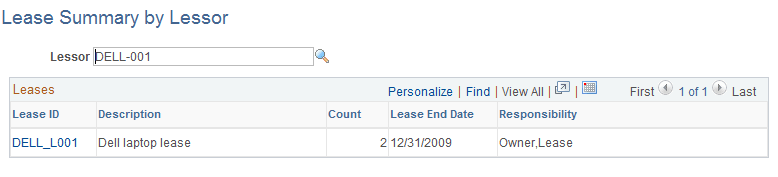
This page displays a list of all leases that are held with the supplier. It includes a count of the assets in the lease, the lease end date, and the lease owner.
Click a lease ID to access the Lease Details page for that lease.
Lease Details Page
Use the Lease Details page (LEASE_DETAIL) to view a list of all assets that are covered by a specific lease and information about location, department, custodian, and status.
Navigation:
This example illustrates the fields and controls on the Lease Details page.
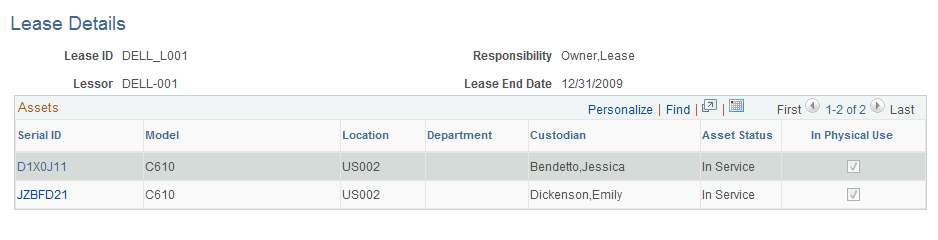
This page displays a list of all IT assets that are associated with a lease. Click any serial ID in the list to display a printable view of that asset.