Reviewing Lease Abstracts
This topic provides an overview of reviewing lease abstracts and discusses how to review lease abstracts.
Page Used to Review Lease Abstracts
| Page Name | Definition Name | Usage |
|---|---|---|
|
RE_SUMMARY_INQ |
Displays a summary of the lease. |
Understanding Reviewing Lease Abstracts
PeopleSoft Lease Administration enables you to review the lease abstract in any lease status, including pending leases prior to activation. You can review the summary of the lease online or you can print a copy. This feature also enables you to view all the terms and conditions for typographical and miscellaneous errors in the lease before you activate it. Any changes to the terms and conditions of the lease, after it is activated, requires a lease amendment.
Lease Abstract Page
Use the Lease Abstract page (RE_SUMMARY_INQ) to displays a summary of the lease.
Navigation:
-
Select View Lease Abstract in the Action field and click the Go button.
-
Select View Lease Abstract in the Action field and click the Go button.
-
Note:
The screen shots display the lease abstract of a completed lease.
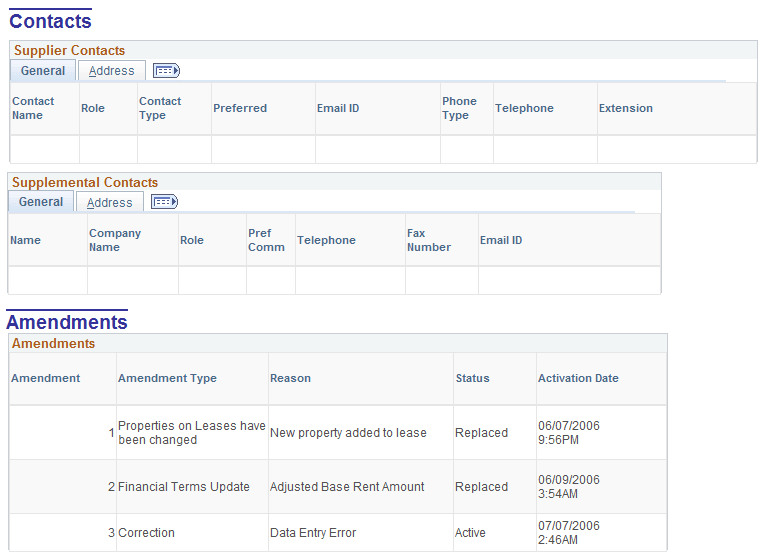
This example illustrates the fields and controls on the Lease Abstract page (1 of 7).
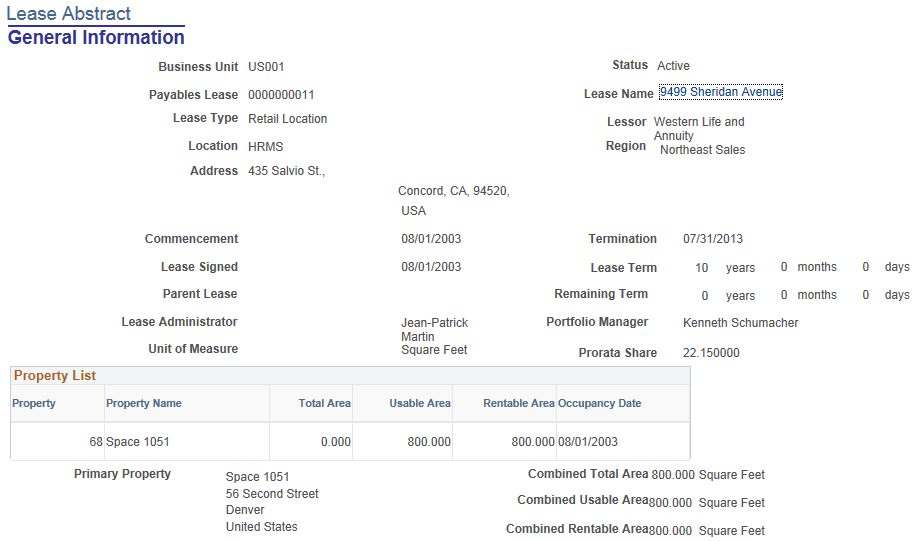
This example illustrates the fields and controls on the Lease Abstract page (2 of 7).
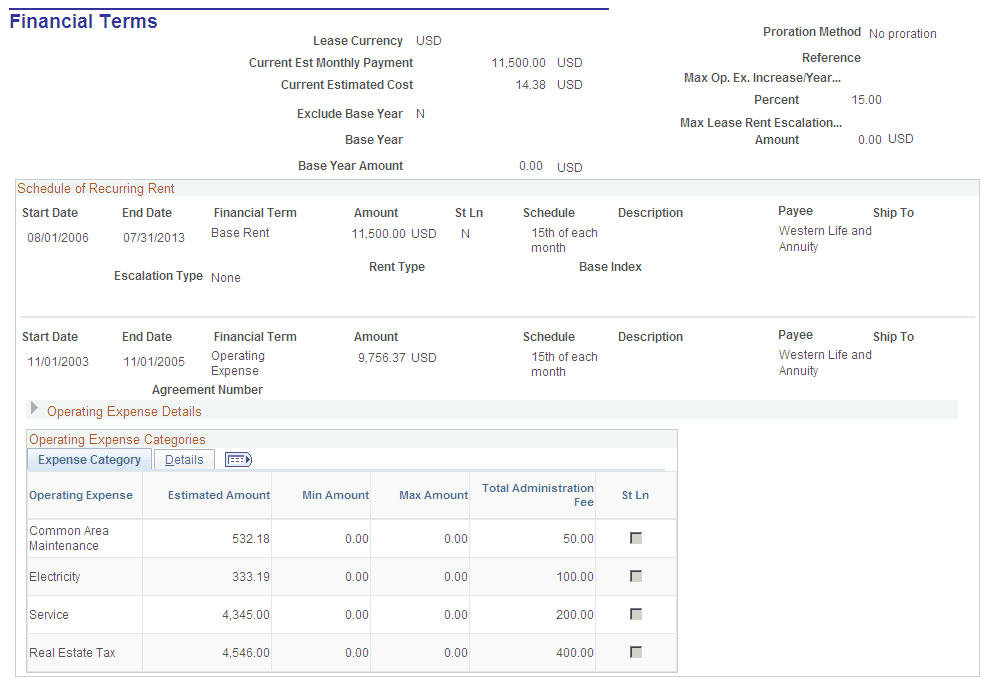
This example illustrates the fields and controls on the Lease Abstract page (3 of 7).
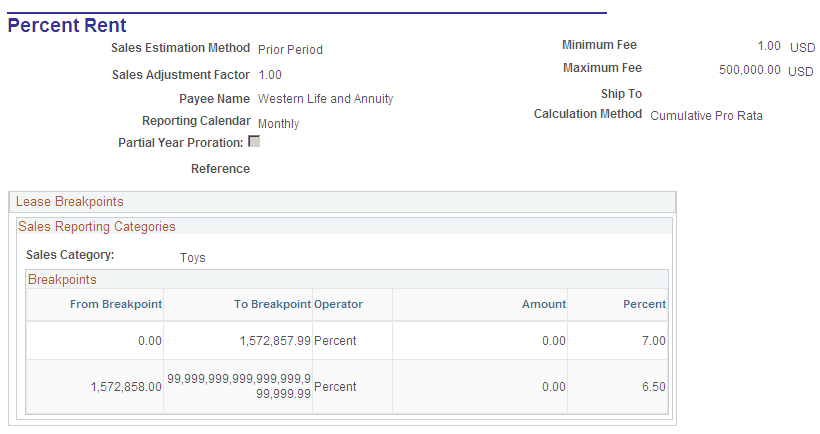
This example illustrates the fields and controls on the Lease Abstract page (4 of 7).
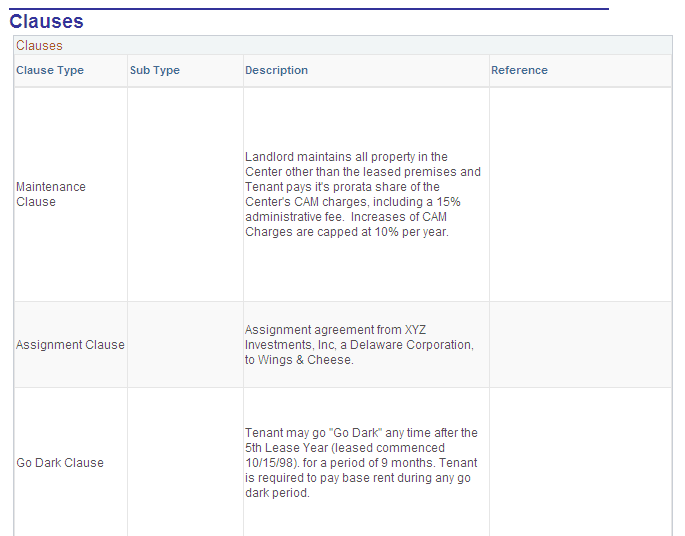
This example illustrates the fields and controls on the Lease Abstract page (5 of 7).
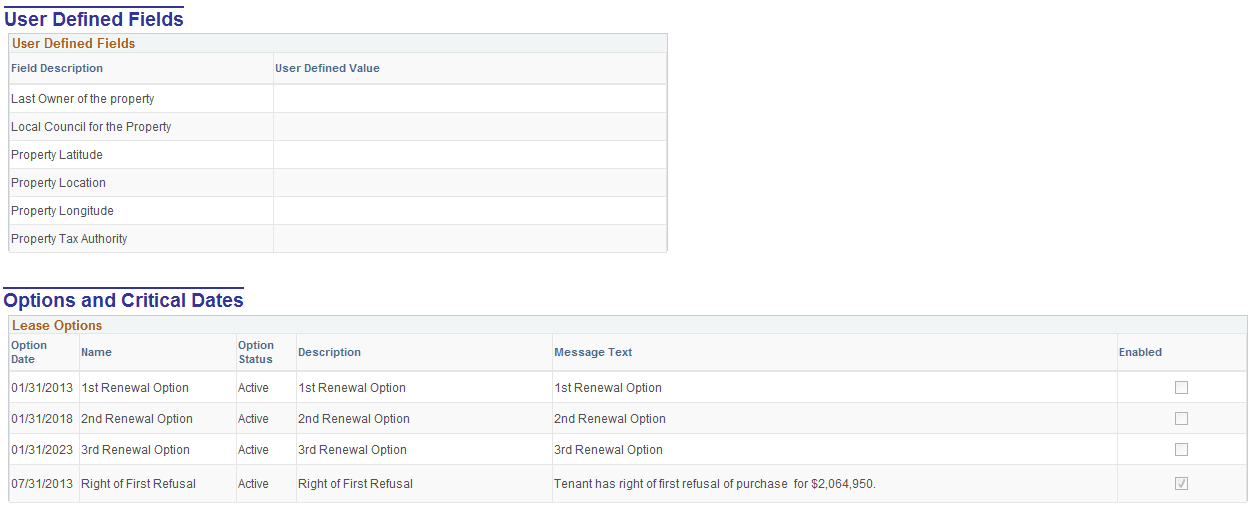
This example illustrates the fields and controls on the Lease Abstract page (6 of 7).
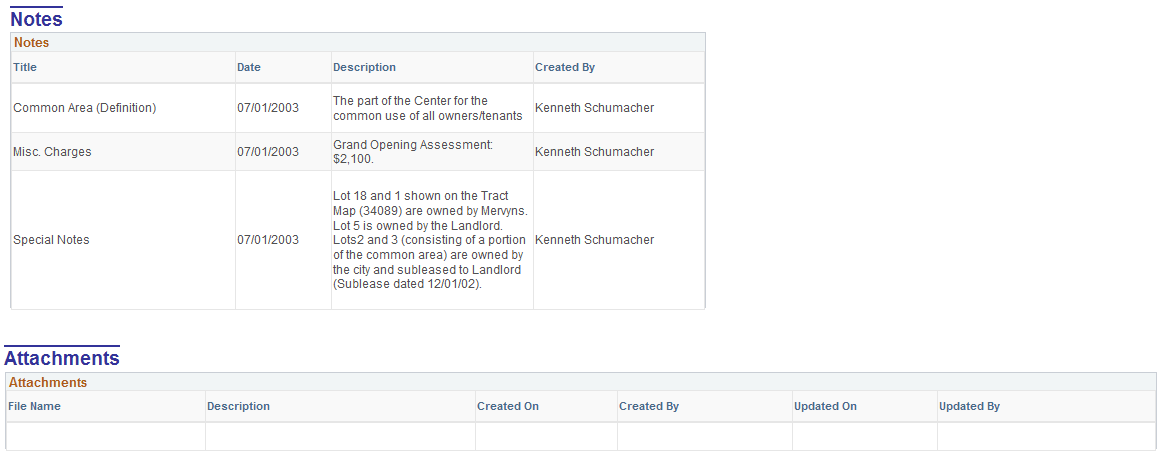
This example illustrates the fields and controls on the Lease Abstract page (7 of 7).