Transition to the New Standard
This section includes tasks to complete your transition to the new accounting standard. You will identify in the system that you are ready to apply the new accounting standard. After making this selection, you will review existing accounting configuration and add new accounting configuration to support processing under the new accounting standard. You will assign cost distributions and then run a process to capitalize your operating leases.
Tasks in this section apply to leases originating in AM and leases originating in LA.
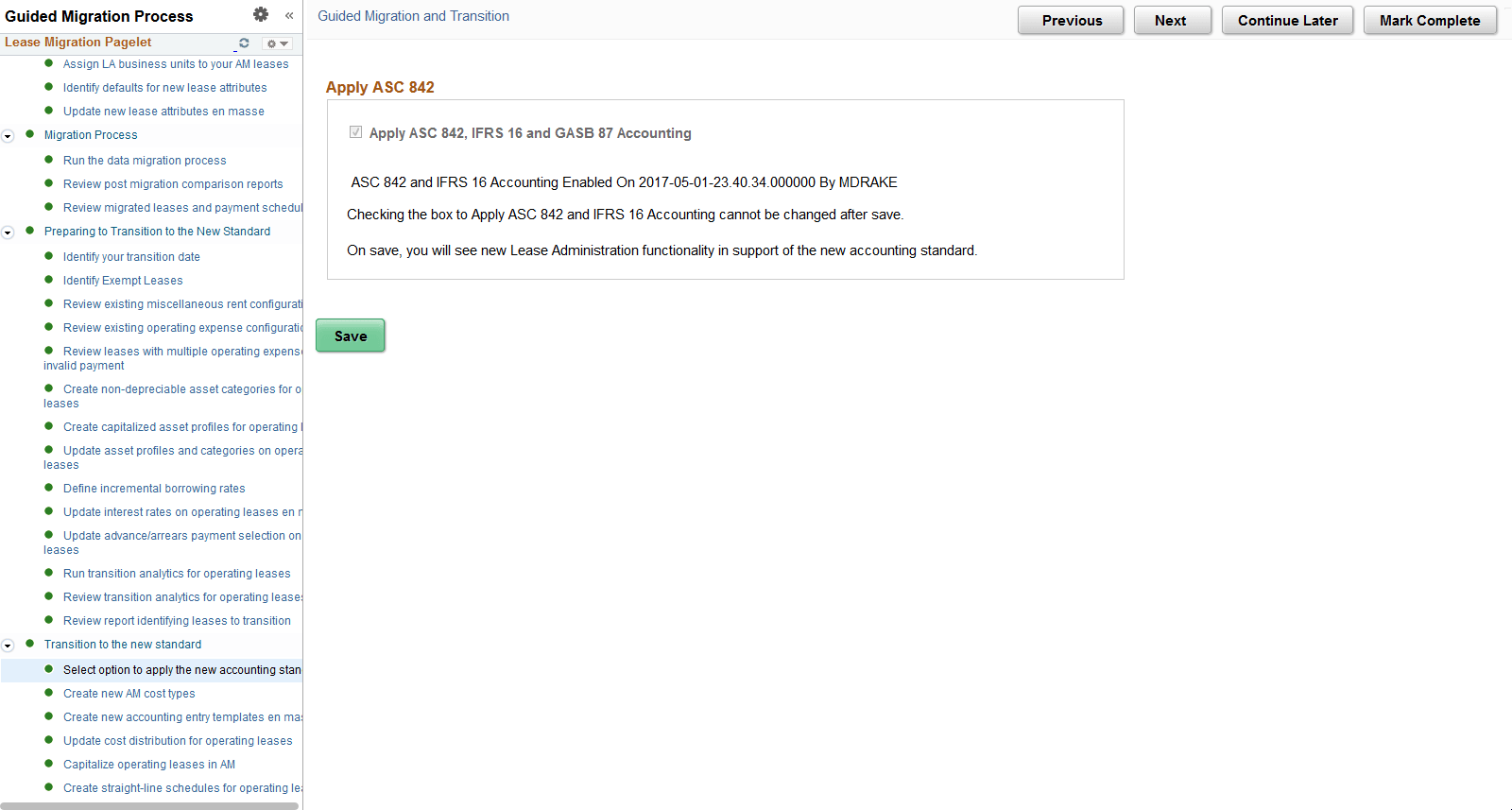
Select Option to Apply the New Accounting Standard
Use this page to identify that you are now applying the new accounting standard, ASC 842, IFRS 16 and GASB 87. The data migration should be completed before you select the Apply ASC 842, GASB 87, and IFRS 16 Accounting option. Once this option is selected and the change saved, the new Lease Administration functionality shared with Asset Management will become active.
Note:
You cannot change this selection after saving the page. You should make this selection only after you have completed your final processing under the old accounting standards.
This example illustrates the fields and controls on the Select Option to Apply the New Accounting Standard.
Create new AM cost types
Use this page to create three new cost types in Asset Management. You must create new cost types for Rent Expense, Lease Incentives and Lease Remeasurement. See Asset Lifecycle Management Fundamentals: Cost Types Page.
Create New Accounting Entry Templates en masse
Use this page to create new accounting entry templates (AETs) for use under the new accounting standard. You should create new accounting entry templates for Rent Expense, Rent Expense Contra, Accumulated Amortization, Lease Incentives and Lease Remeasurement. See Asset Lifecycle Management Fundamentals: Defining Accounting Entries.
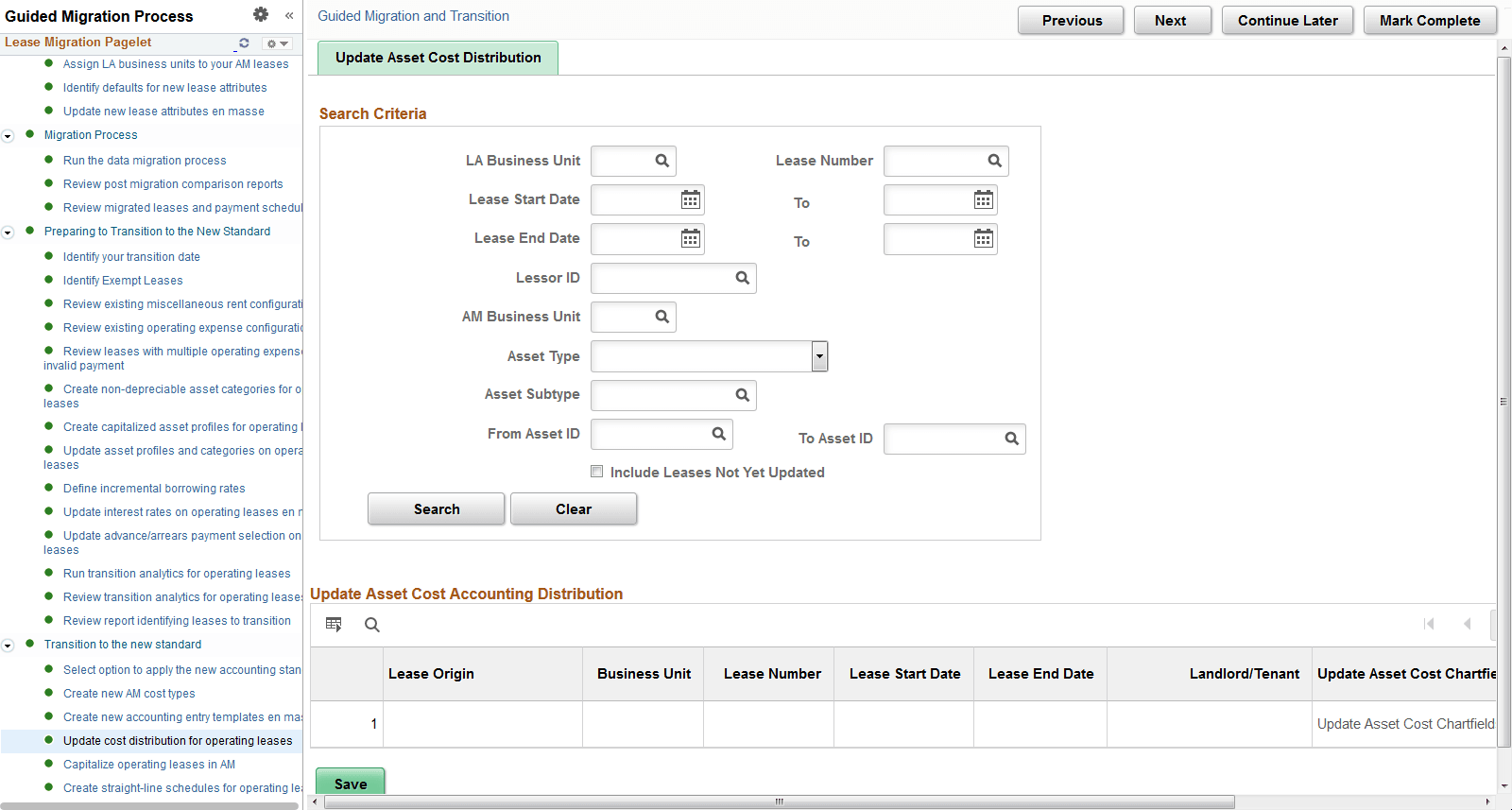
Update Cost Distribution for Operating Leases
Use this page to update the cost distribution for your operating leases. You can filter your search criteria to include only those leases not yet updated. You must update the asset's cost distribution before you can capitalize the asset in AM.
For AM leases, you will see the cost distribution from AM. However, you will need to open the cost distribution and confirm the accounts to use under the new accounting standard. These will default in from the AM Accounting Entry Templates, but you can override them. For LA leases, you will need to identify the detail general ledger ChartFields for the asset and the general ledger accounts. This task may take a significant amount of time particularly for your operating leases originating in LA, if you intend to update multiple ChartFields with information. This task cannot be started until after you select to apply ASC 842 and IFRS 16, and must be completed before you can capitalize your operating leases in AM. We recommend gathering the required information to complete this task earlier in the process, so you can complete the task quickly during your first closing cycle under the new accounting standard.
This example illustrates the fields and controls on the Update Cost Distribution for Operating Leases page.
Note:
Exempt leases do not appear on this page.
Note:
If you plan to capitalize a lease and update the cost distribution information, but later decide the lease is exempt, the asset cost distribution previously entered is deleted. The underlying asset in an exempt lease is not capitalized.
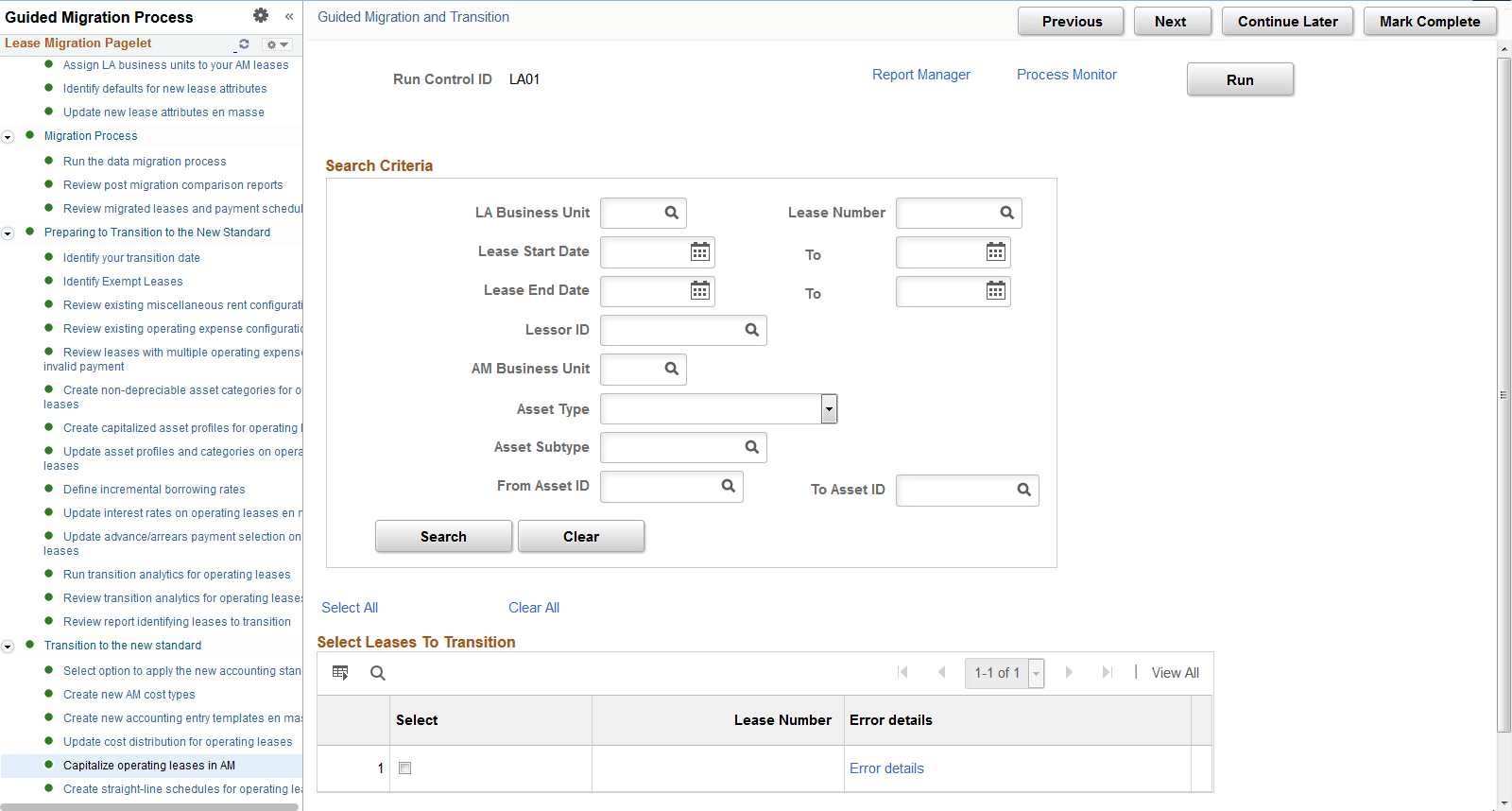
Capitalize Operating Leases in AM
Use this page to capitalize your operating leases in AM. The page will display all operating leases that you have not already capitalized regardless of end date. You should run the capitalization process for all leases including those that have ended even though the capitalization process may result in a zero cost value.
The capitalization process updates many data fields in AM and LA with the following being most notable:
-
Creates a capitalized asset in AM.
-
Sets the lease classification on the lease header as ‘Capital’ in LA. With new functionality, you classify individual assets on the lease as finance or operating and the lease header classification is hidden.
After running the process, you can return to this page to see if the process capitalized the asset successfully. If the asset appears on the page, then the process did not capitalize the asset and you should select the Error Details link to review the reasons.
This example illustrates the fields and controls on the Capitalize Operating Leases in AM page.
Note:
Exempt leases do not appear on this page.
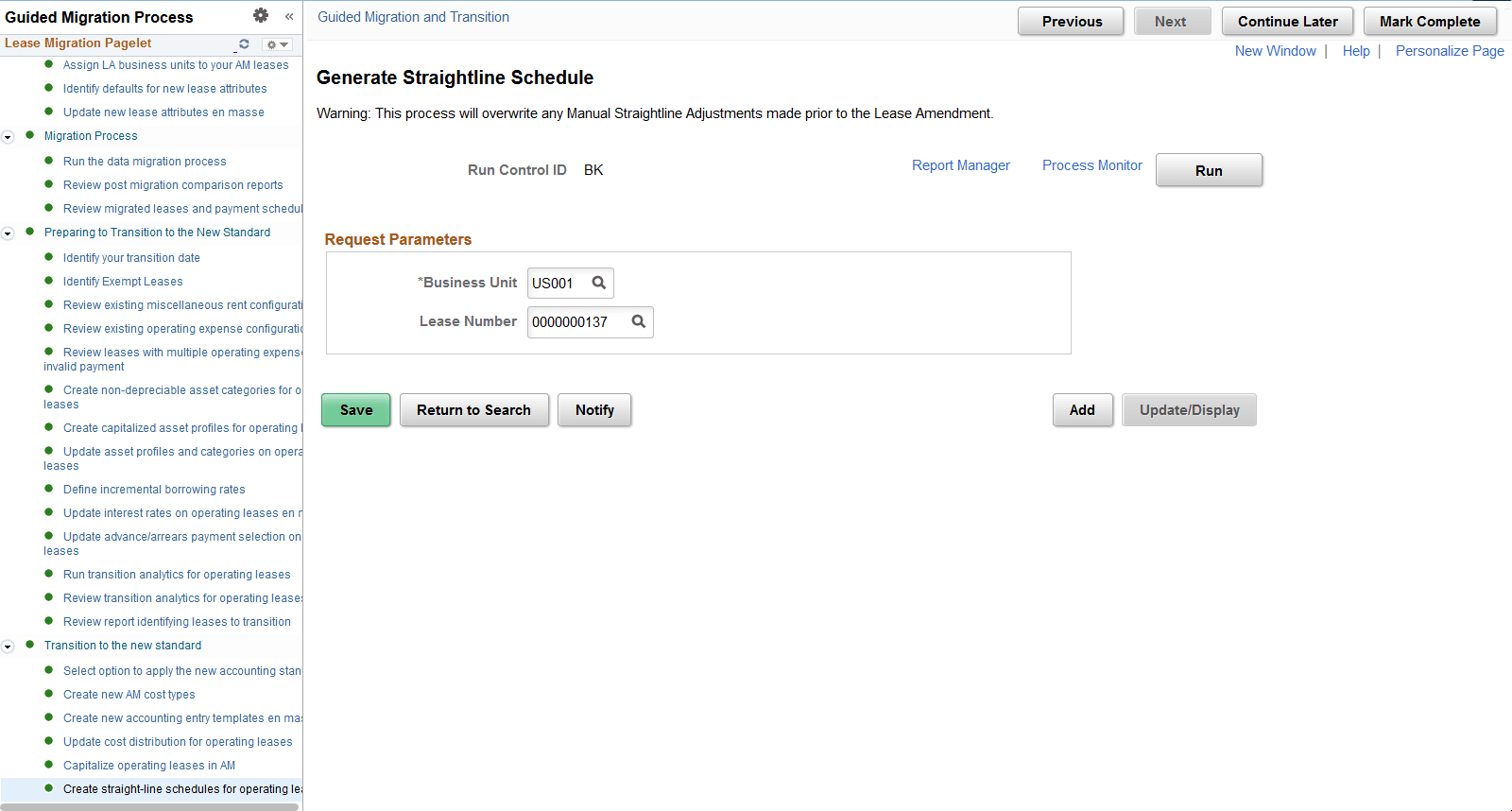
Create Straight-Line Schedules for Operating Leases
Use this page to create straight-line amortization schedules for your operating leases. Under the new accounting standard, you amortize the cost of the operating leased asset on a straight-line basis over the shorter of the asset’s useful life or lease term.
You must run this process to create the monthly expense amounts for your operating leased assets. You can run the process for a specific lease or an entire business unit.
Note:
Oracle recommends consulting your accounting department for clarity on whether straightline accounting applies to your exempt leases. The process will exclude certain costs on these leases such as prepaids, initial direct cost, and lease incentives since these costs should be expensed when paid.
This example illustrates the fields and controls on the Create Straight-Line Schedules for Operating Leases page.