Asset Information Tab — Labor Assignment Schedule Page
Navigation:
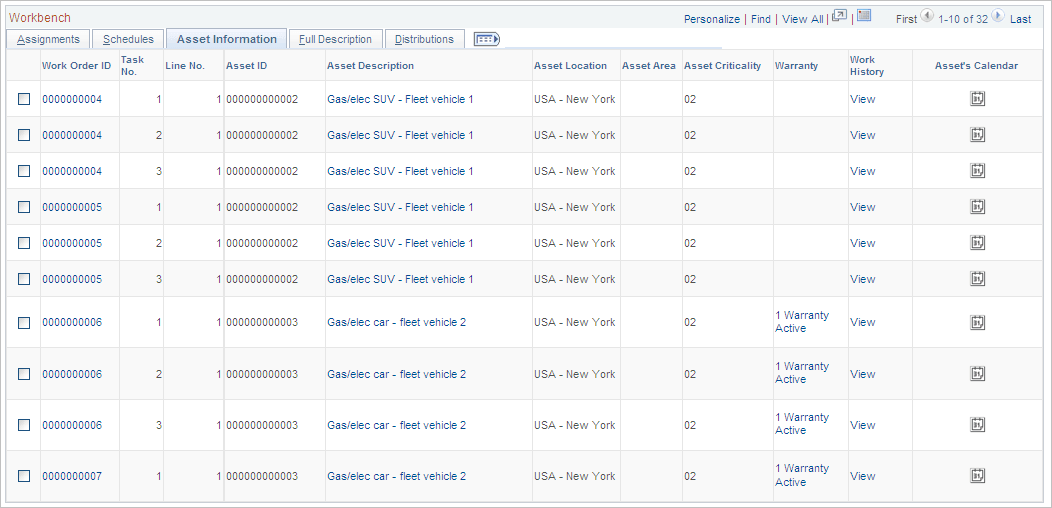
This example illustrates the fields and controls on the Labor Assignment Workbench page: Asset Information tab. You can find definitions for the fields and controls later on this page.
| Field or Control | Description |
|---|---|
|
Asset Location |
Displays the location of the asset associated with the task. |
|
Asset Area |
Displays the asset area of the asset associated with the task. |
|
Asset Criticality |
Displays the level of criticality of the asset associated with the task. |
|
Warranty |
Click this link to access the Asset Warranties page if the asset associated with the task has any warranties. You can add warranties and use this information to create warranty claims for this asset based on this task by accessing See Understanding Warranty Claim Management in PeopleSoft Maintenance Management. |
|
Work History |
Click this link to view the Work History page for the asset associated with the task. |
|
Asset's Calendar |
Click the calendar icon to access the calendar for the asset associated with this task. The calendar displays the availability of the asset. |