Messages Tab — Crew Scheduling Workbench Page
Navigation:
This example illustrates the fields and controls on the Crew Scheduling Workbench page: Messages tab. You can find definitions for the fields and controls later on this page.
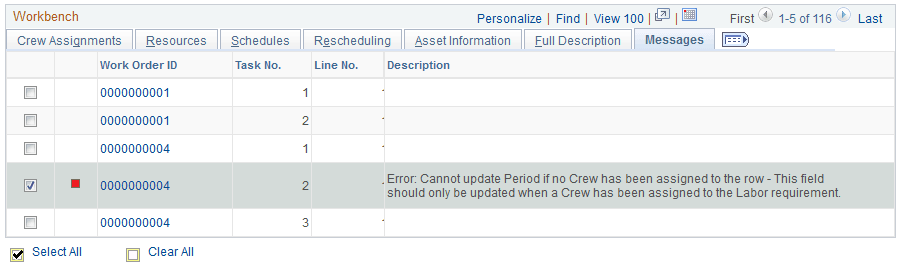
The Messages tab is visible when you execute an action and one of the selected rows issues a message as a result of the action, or when you modify a field in a row. The system displays an error, warning, or information message icon in the selected row that has a message, and the message is described on the Message tab.
| Field or Control | Description |
|---|---|
|
|
Displays a Warning icon if a warning message is available on the Messages page. If at least one of the messages is a warning and none of the rows has an error message, then the action will take place. |
|
|
Displays an Error icon if an error message is available on the Messages page. If at least one of the messages is an error, then the action will not take place. |
|
|
Displays an Information icon if an informational message is available on the Messages page. If the messages are informational and no error messages occurred, then the action will take place. |


