Asset Information Tab — Crew Scheduling Workbench Page
Navigation:
This example illustrates the fields and controls on the Crew Scheduling Workbench page: Asset Information tab. You can find definitions for the fields and controls later on this page.
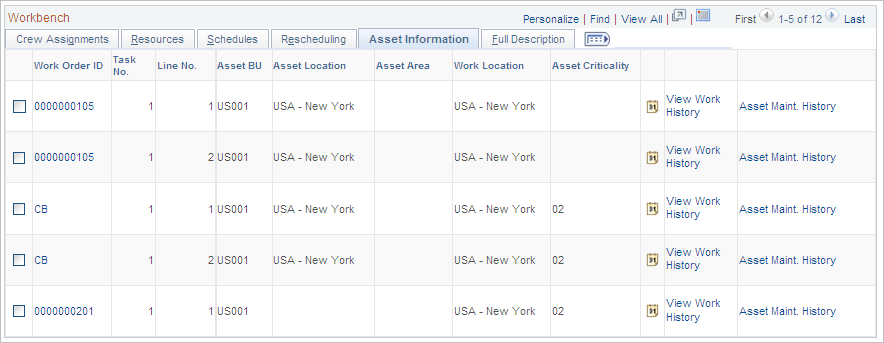
This tab displays the asset information entered for the work order task.
| Field or Control | Description |
|---|---|
|
|
Click the Calendar icon to display the Asset Monthly Schedule page, which displays dates and times that the asset may not be available for scheduling or enables you to add dates and times that the asset is unavailable. |
|
View Work History |
Click this link to display the Work Order History page for the asset. The work order history of the asset identifies the work order, task and task description, task status, required start and end dates, completed date, and close date for the task as they become available. |
|
Asset Maintenance History |
Click this link to display the Asset Service/Repair History search page of the Review Maintenance History component in PeopleSoft Asset Management. If the asset has a maintenance history, the Maintenance History by Type page displays the description, date and time, and responsible party for the maintenance on the Maintenance tab; the material, labor, and other costs on the Cost tab; and the task description, work order ID, work order business unit, and task number on the Work Order tab. |
