Viewing Delivery History
This topic discusses how to view delivery history.
Pages Used to View Delivery History
| Page Name | Definition Name | Usage |
|---|---|---|
|
RECV_DEL_INQ_DTL |
Review delivery information for a receipt. |
|
|
RECV_DEL_INQ_CYCLE |
View the life cycle of a delivery. |
|
|
RECV_DELIVERY1 |
Review and maintain delivery information. |
Delivery Detail Page
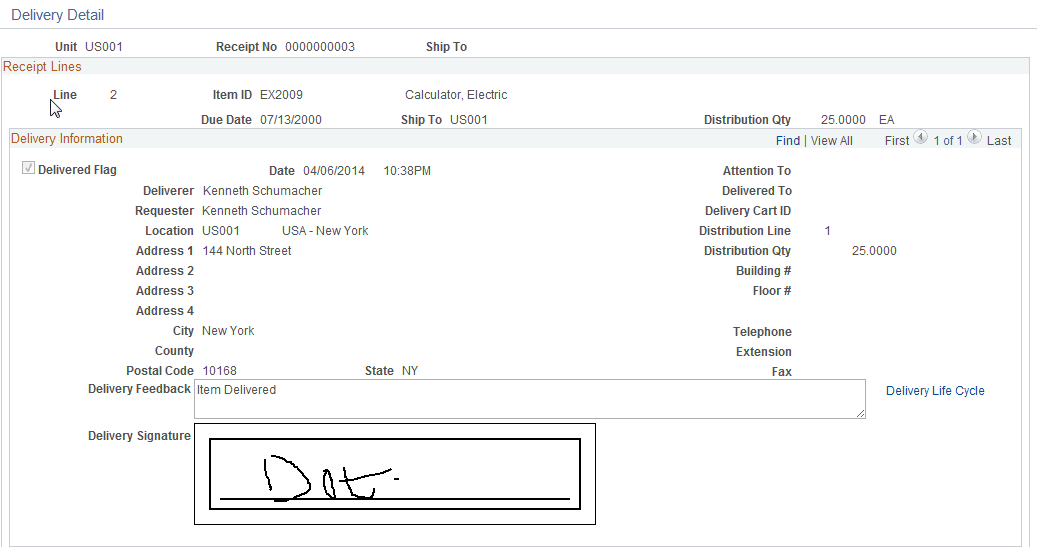
Use the Delivery Detail page (RECV_DEL_INQ_DTL) to review delivery information for a receipt.
Navigation:
This example illustrates the fields and controls on the Delivery Detail page.
Life Cycle Inquiry Page
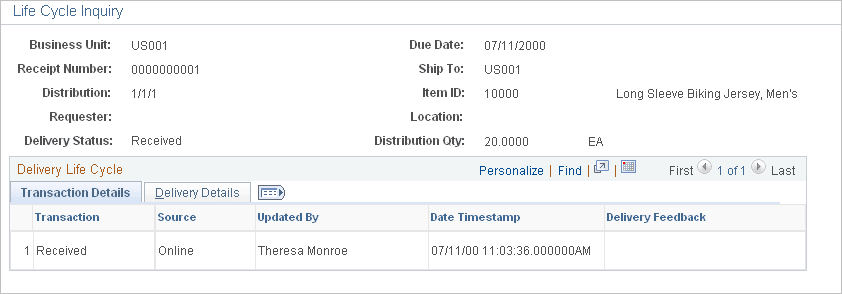
Use the Life Cycle Inquiry page (RECV_DEL_INQ_CYCLE) to view the life cycle of a delivery.
Navigation:
This example illustrates the fields and controls on the Life Cycle Inquiry: Delivery Details page.
Delivery Location Page
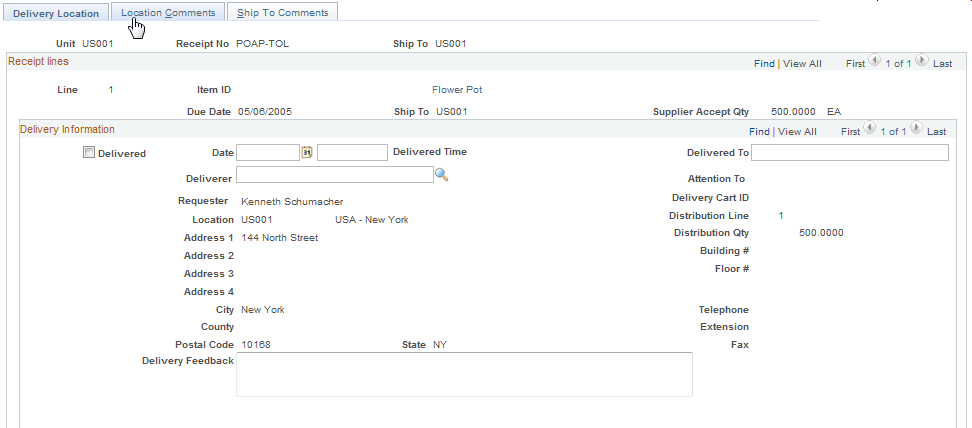
Use the Delivery Location page (RECV_DELIVERY1) to review and maintain delivery information.
Navigation:
This example illustrates the fields and controls on the Delivery Location page. You can find definitions for the fields and controls later on this page.
| Field or Control | Description |
|---|---|
|
Delivered |
If this check box is cleared, the system clears the Delivery Signature fields as well as other delivered fields. |