Report Rapid Time Page
Use the Report Rapid Time page (FO_TL_RAPID_SESSN) to enter punch card time and elapsed time.
Navigation:
HCM database
This example illustrates the fields and controls on the Staffing Rapid Time page (punch time). You can find definitions for the fields and controls later on this page.
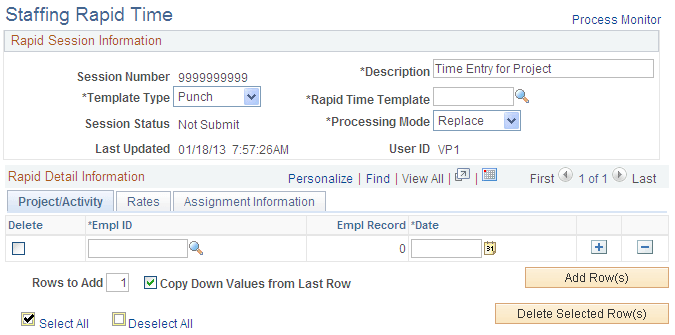
Project/Activity
| Field or Control | Description |
|---|---|
|
Processing Mode |
Chose the processing mode for this entry. Options are: Add, Correct or Replace. |
|
EmplID (employee ID) |
Enter the employee ID of the worker for whom you are entering time. |
Note:
The system populates the Empl Rcd# (employee record number) field after you enter values for the PC Business Unit, Project ID, and the Activity ID fields.