Account Page
Use the Account page (GL_ACCOUNT) to create account values and designate them as OpenItem accounts.
Navigation:
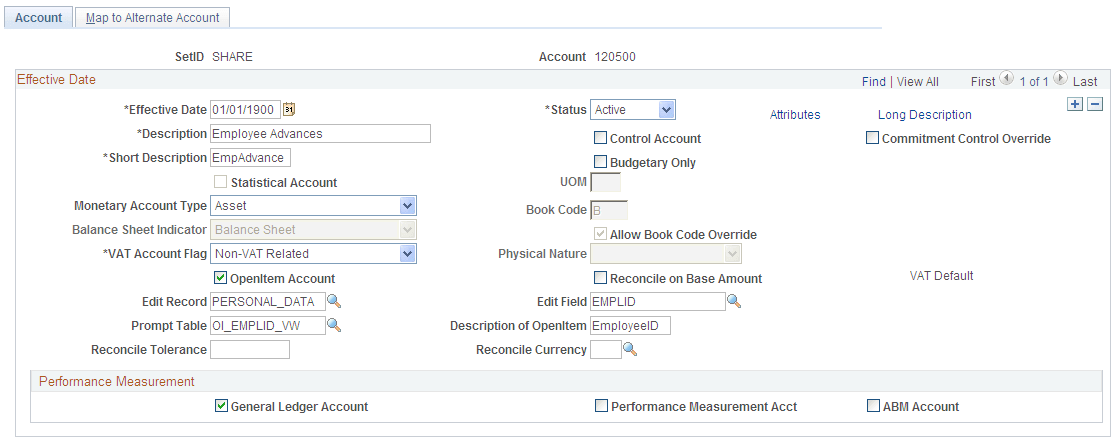
This example illustrates the fields and controls on the Account page, showing account definition for an OpenItem account. You can find definitions for the fields and controls later on this page.
Note:
This page is described at length elsewhere. Only fields of particular importance to OpenItem accounts are discussed here.
| Field or Control | Description |
|---|---|
|
OpenItem Account |
Select to activate OpenItem processing. A number of edit boxes appear. |
|
Edit Record |
Enter the record definition name of the prompt table against which you want to validate the OpenItem key. For example, if the OpenItem key is an employee ID, enter the prompt table that contains a list of valid employee IDs, such as EMPLOYEE_TBL. |
|
Edit Field |
Specify the field within the OpenItem Edit Record against which you want to validate the OpenItem key. If you are using employee ID the OpenItem key, this is the field that contains your employee IDs or social security numbers. |
|
Prompt Table |
Enter the name of the prompt table that returns the current actual OpenItem rows for the account. |
|
Description of OpenItem |
Enter the description of the account that appears in prompt lists, reports, and online inquiries. This description is typically used to identify the OpenItem key that must be specified in the Ref (reference) field on the Journal Entry page or the OpenItem field on the Invoice Information page. |