Period End Accrual Delete Page
Use the Period End Accrual Delete page (PE_ACCRL_DELETE) to delete accruals for PeopleSoft Payables.
Navigation:
Accounts Payable, Batch Processes, Vouchers, Period End Accrual, Delete Period End Accruals
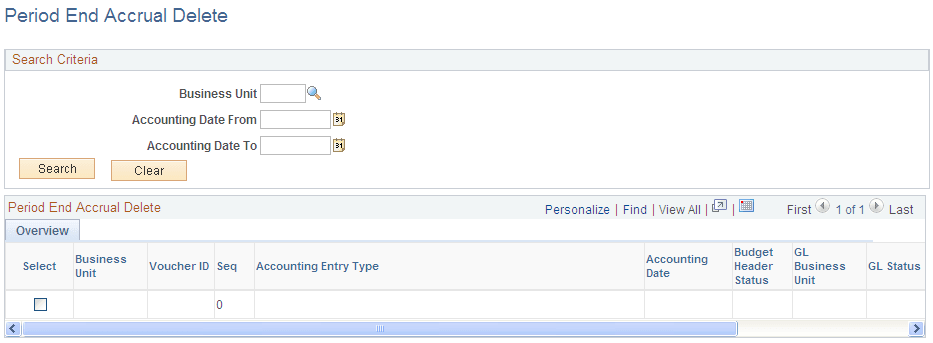
This example illustrates the fields and controls on the Period End Accrual Delete page.
There may be instances where the accounting entries have been created erroneously. If the accounting entries have not been journal generated, you can reverse the entries. If the accounting entries have been journal generated, any erroneous transactions will need to be reversed in General Ledger through a reversing journal transaction. If transactions have been budget checked by commitment control, these transactions will have to be zeroed out and budget checked after they have been reversed.
When the transactions are populated into the grid, users have the option to select the transactions they want to delete. The check box will be unavailable for selection if the accounting transaction has been journal generated. If you select transactions for deletion and they have been budget checked, the transactions will be updated to zero out the amounts and the system will set the budget checking status to not budget checked.
The delete selected rows button will delete all selected rows and their associated reversal row. If budget checking has been run on any transactions selected for deletion, users will receive a message that the budget checked transactions will need to be budget checked again to reverse any activity. If the rows have been budget checked, they will be updated to be budget checked again. The distribution status will be set to Ignore for all lines so they will not be selected by the Journal Generator program.