Period End Accrual Processing Page
Use the Period End Accrual Processing page (PE_ACCRL_RQST) to process period end accruals for specific business units or all business units.
Navigation:
Accounts Payable, Batch Processes, Vouchers, Period End Accrual, Create Period End Accruals
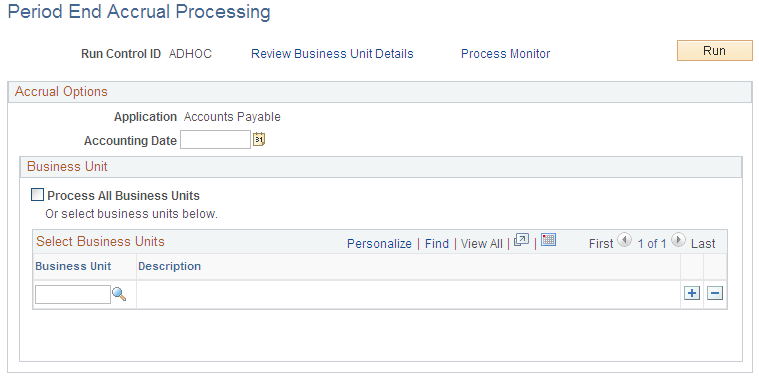
This example illustrates the fields and controls on the Period End Accrual Processing page. You can find definitions for the fields and controls later on this page.
Accrual and Expense entries will be created along with the accompanying reversal entries in the next period.
| Field or Control | Description |
|---|---|
|
Review Business Unit Details |
After selecting the business units to process, click this link to access the Review Business Unit Details page to review the period end accrual information prior to running the process. |
|
Accounting Date |
Select the accounting date to be used for creating accruals. If you select an accounting date that has already been processed, the system will warn you that the accrual entries have already been processed. |
|
All Business Units |
Select this check box to process period end accruals for all business units. Business units without period end accrual options set up will be skipped by the process. |
|
Business Unit |
Select the General Ledger business unit you want to use to process period end accruals. Business units without period end accrual options set up will be skipped by the process. |