Processing Payment Cards Payments
There are two process flows for processing supplier payments through payment cards method.
Outbound process to pay the suppliers
This process flow is similar to ACH and check payments from Accounts Payable. The enhancements to support payment cards include:
-
Enhancement to voucher create process to recognize the payment cards payment method: Based on the supplier setup, if payment card is defined as the payment method for the supplier, voucher is created with the Payment Card method.
-
Enhancement to payment file creation process: Financial Gateway payment file creation process has been enhanced and will use the layout, as outlined in the setup, to generate the outbound payment file.
-
Enhanced Payment posting to create accounting for Cash in Transit: Payment posting process has been enhanced to create accounting for Cash in Transit.
Inbound process to receive payment card statement from bank, reconcile payments and pay payment card provider
You need to define the process of receiving payment card statement file. Typically, organizations log into their payment card provider website to download payment card statements on a weekly or monthly basis.
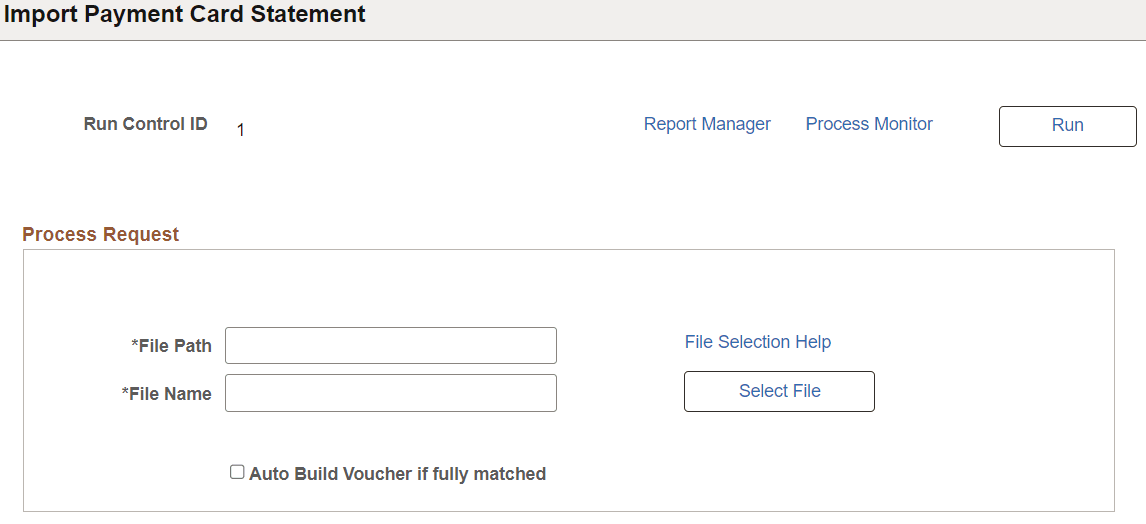
Once you have this file, you can import the payment file using the Import Payment Card Statement page (Accounts Payable> Vouchers> Add/Update> Import Payment Card Statement).
This example illustrates the fields and controls on the Import Payment Card Statement page.
For importing payment card file:
-
Specify the file path and file name for the payment card file.
-
Select Auto Build Voucher if fully matched flag to create the voucher to pay the payment card provider. Your payment provider would have made payments to various suppliers for different vouchers. The inbound file should contain the details of each payment. The import and matching process imports the payments data and matches the payments with the corresponding vouchers. Then, a single voucher is created to pay the payment provided for all the payments made.
-
For unmatched payments or in cases where amounts are not fully matched, you need to verify and approve payment on a on case-by-case basis.
-
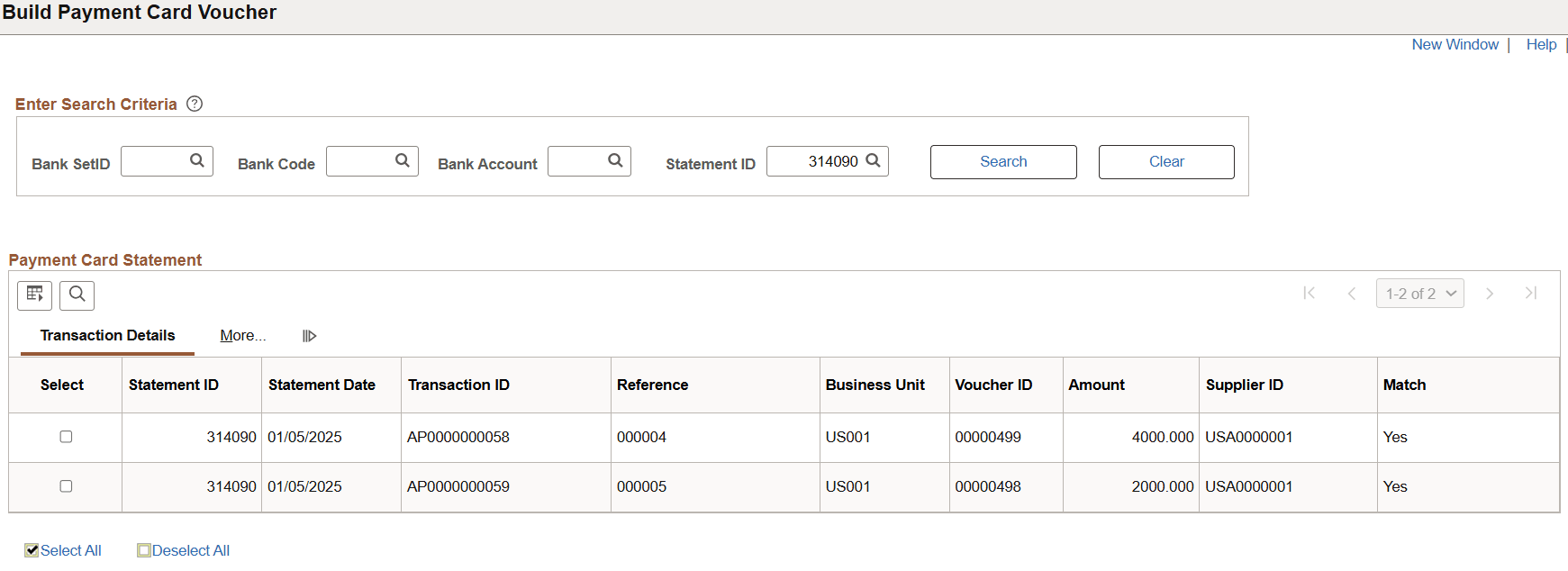
If Auto Build Voucher if fully matched flag is not checked, you have to create the voucher to pay the payment card provider manually. Use Build Payment Card Voucher page (Accounts Payable> Vouchers> Add/Update> Build Payment Card Voucher).
This example illustrates the fields and controls on the Build Payment Card Voucher page.