Withhold Report Post Page
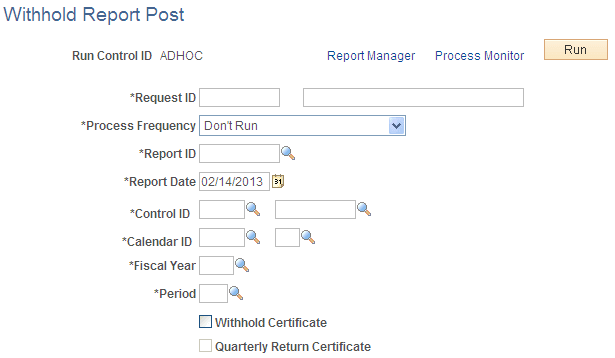
Use the Withhold Report Post page (WTHD_RPT_POST) to run the Withholding Reporting Application Engine process (AP_WTHDRPT) to populate the withholding report table with data from the withholding transaction table based on your report setup.
Navigation:
This example illustrates the fields and controls on the Withhold Report Post page. You can find definitions for the fields and controls later on this page.
Important:
For 1099 reports, you use a separate report posting process.
| Field or Control | Description |
|---|---|
|
Report ID |
Select the withholding report ID for which you want to create the report information. |
|
Report Date |
Select the date of the report. |
|
Control ID |
Select the report control ID. |
|
Calendar ID |
Select the appropriate calendar ID. |
|
Fiscal Year |
Enter the fiscal year for the report. |
|
Period |
Enter the period for the report. The fiscal year and period determine the date range used to select supplier payments for withholding reporting. |
|
Withhold Certificate |
Select if you require the system to create a withholding certificate. |
|
Quarterly Return Certificate |
Select if you require the system to create a TDS quarterly return certificate. |
Note:
Before you can run the Withholding Reporting process, you must define the withholding control information on the pages in the Report Control Information component.
To access the Print CIS Payment Statement page, use the navigation: