Defining Organizational Accounting Installation Options
To define organizational accounting installation options, use the Installation Options (INSTALLATION_PC) and Organization Definition (PSA_ORG_DEFN) components.
Pages Used to Define Organizational Accounting Installation Options
| Page Name | Definition Name | Usage |
|---|---|---|
|
Application Fundamentals: Installation Options - Project Costing Page |
INSTALLATION_PC |
Select the Enable Organization and Enable Sharing check boxes in the Organizational Accounting group box. |
|
PSA_ORG_DEFN |
Specify the GL ChartFields at the system level that define the organization hierarchy for the Accounting for Projects feature. |
Organization Hierarchy Page
Use the Organization Hierarchy page (PSA_ORG_DEFN) to specify the GL ChartFields at the system level that define the organization hierarchy for the Accounting for Projects feature.
Navigation:
This example illustrates the fields and controls on the Organization Hierarchy page. You can find definitions for the fields and controls later on this page.
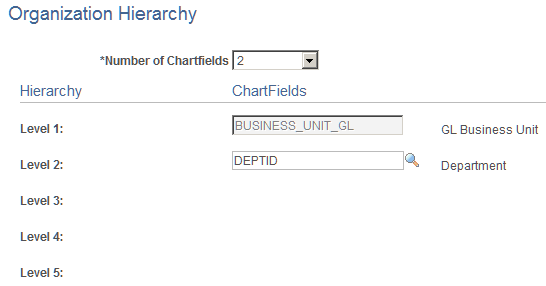
Define the number of levels in your hierarchy and the ChartField that defines each level. You can use up to five ChartFields to define levels of the organization. The first level, however, is always the GL Business Unit field.