Integrating Requisitions and Purchase Orders with PeopleSoft Project Costing
Page Used to Integrate Requisitions and Purchase Orders with PeopleSoft Project Costing
| Page Name | Definition Name | Usage |
|---|---|---|
|
PC_PO_TO_PC |
Run the Purchasing to Project Costing process to import requisitions, purchase orders, or both from PeopleSoft Purchasing to PeopleSoft Project Costing. |
Purchasing Page
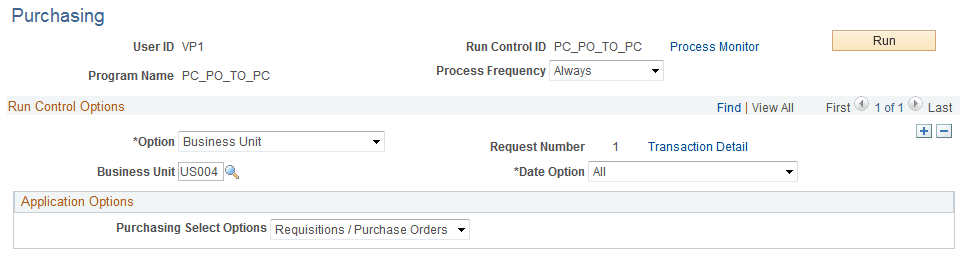
Use the Purchasing page (PC_PO_TO_PC) to run the Purchasing to Project Costing process to import requisitions, purchase orders, or both from PeopleSoft Purchasing to PeopleSoft Project Costing.
Navigation:
This example illustrates the fields and controls on the Purchasing page. You can find definitions for the fields and controls later on this page.
| Field or Control | Description |
|---|---|
|
Option |
Select to pull in specified transactions for all projects and activities, or for specific ones. Options are: All: Processes all transactions that are associated with all activities. Business Unit: Processes transactions for the selected business unit. Business Unit/Project: Processes transactions for the selected business unit and project. Business Unit/Project/Activity: Processes transactions for the selected business unit, project, and activity. |
| Field or Control | Description |
|---|---|
|
Purchasing Select Options |
Select one of these options: Purchase Orders: Integrates only purchase order transactions into PeopleSoft Project Costing. Requisitions: Integrates only requisition transactions into PeopleSoft Project Costing. Requisitions / Purchase Orders: Integrates purchase orders and requisition transactions into PeopleSoft Project Costing. |
|
Run |
Click to run the Purchasing to Project Costing integration process. |