Understanding the Projects WorkCenter - Links
This page shot provides an example of how the Projects WorkCenter - Links section can be set up:
This example illustrates the fields and controls on the Projects WorkCenter - Links section. The primary purpose of this pagelet is to minimize the number of clicks to access critical path components and pages.
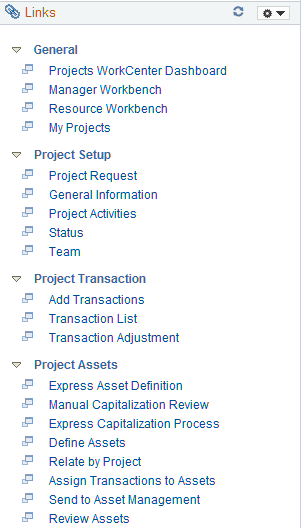
The Links section provides access to internal and external links.
System administrators use the Enterprise Components: Configuring Pagelets to set up the WorkCenter Links section for end users.
Enter users use theApplication Fundamentals: Define User “Links” Links – Links Pagelet Personalization Page to personalize the Links section for personal use.