Common Elements
This table contains common elements of the Procurement WorkCenter page.
| Field or Control | Description |
|---|---|
 (Personalize icon) |
Click the Personalize icon to access these options:
|
 (Refresh icon) |
Click the Refresh icon to apply updates to personalizations or filters. |
 (Update Selected Rows) |
Click to activate the checkboxes and Actions button. Select the checkboxes to select one or more rows from the list and perform the actions in bulk. |
 (Related Actions) |
Click the Related Actions icon corresponding to any row to perform the actions for that row. |
 (Actions) |
Click to perform the actions available for the selected items. This button appears when you select the corresponding check box for the row or select multiple rows. |
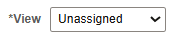 (View) |
Select to perform the work management actions. This button appears when Work management is enabled for that Exception. For more details, see Using Work Management in the Procurement WorkCenter. |
 (Filter) |
Click to refine filter criteria. |
 (Download to Excel) |
Click to download data from the current grid into an Excel file. |
 (Find) |
Click to search for a desired value in the current grid. |
 (Sort) |
Click to sort current grid data by one of the grid columns. |