Open Items Page
Use the Open Items page (AR_WC_ITEM_LIST) to build and view a list of open items that require follow-up based on their status. Use links to view details for a specific item. The total count displayed with the link is all open items in the system.
Navigation:
-
Click the Items: Open Items link.
-
This example illustrates the fields and controls on the Open Items page.
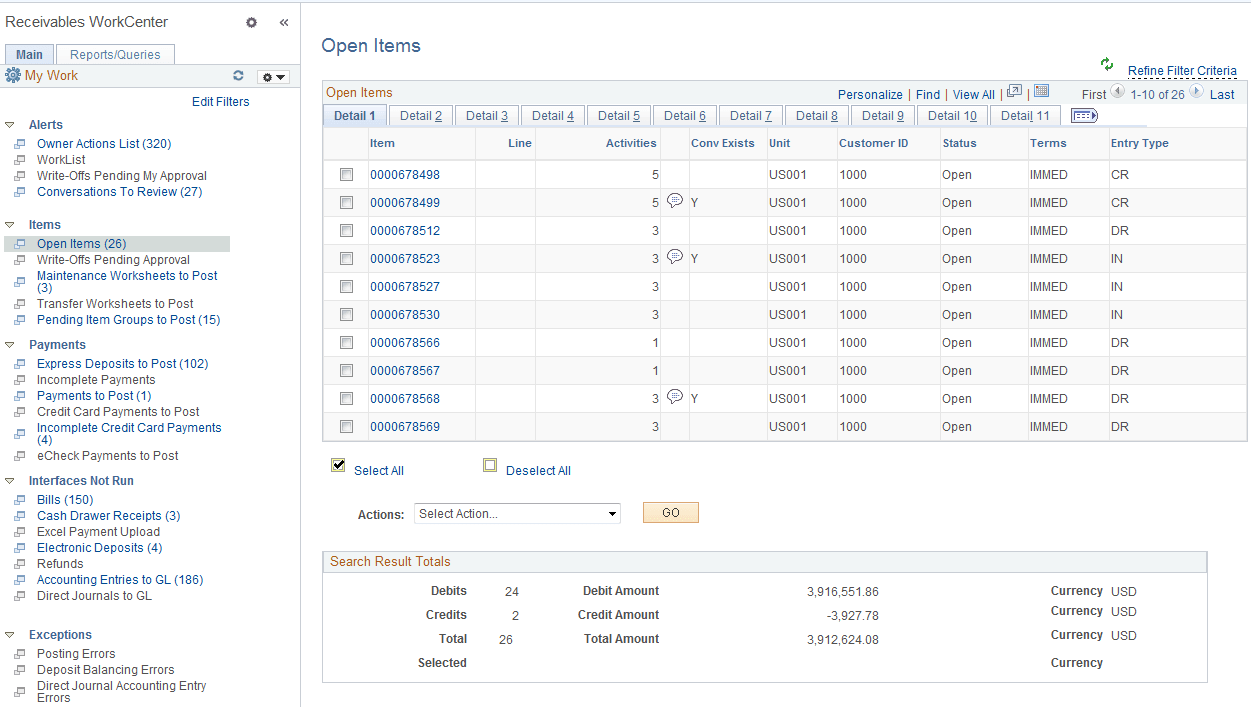
Depending on the filters selected for your Open Items page, the grid will show these items:
-
Disputed
-
Deduction
-
Doubtful
-
Collection
-
Past Due
-
By Entry Type (for example, On-Accounts, Prepayments)
Use the Item List component (ITEM_LIST) to search for items for a specified customer or business unit. You can also generate a list of items spanning multiple customers based on the search parameters that you entered (including but not limited to such as Disputed, Collection, Deduction, and Past Due). Use the Advanced Search function to enter and save search criteria based on field values in the Item table (PS_ITEM).
| Field or Control | Description |
|---|---|
|
Item |
Click the item ID link to access item details in the View/Update Item Details component (ITEM_MAINTAIN), where you can view and update item details and view item activity and accounting entries (Accounts Receivable, Customer Accounts, Item Information, View/Update Item Details). See Changing and Reviewing Item Information and Reviewing Item Information |
|
|
Click the Conversation Exists icon to drill into item conversation details. If one conversation exists for the item, clicking the icon opens the Conversations page, where you can review the conversation details. If multiple conversations exist for an item, clicking the icon opens the Conversations for Item page (AR_CONVER_LIST_SEC), where you can view the details for a specific conversation in the list. |
|
|
Click the View Invoice Image icon to view the invoice for the selected item. |
|
|
Click the Email icon to open the Send Invoice page, where you can send a copy of the invoice image for an item by email. |
|
Actions |
Select an action from the following:
|
 and
and  (View Invoice Image icon)
 (Email icon)