Posting Errors Page
Use the Posting Errors page (AR_WC_PNDITM_SEL) to display pending item groups containing errors with access to Online Error Correction pages.
Navigation:
Click the Exceptions: Posting Errors link.
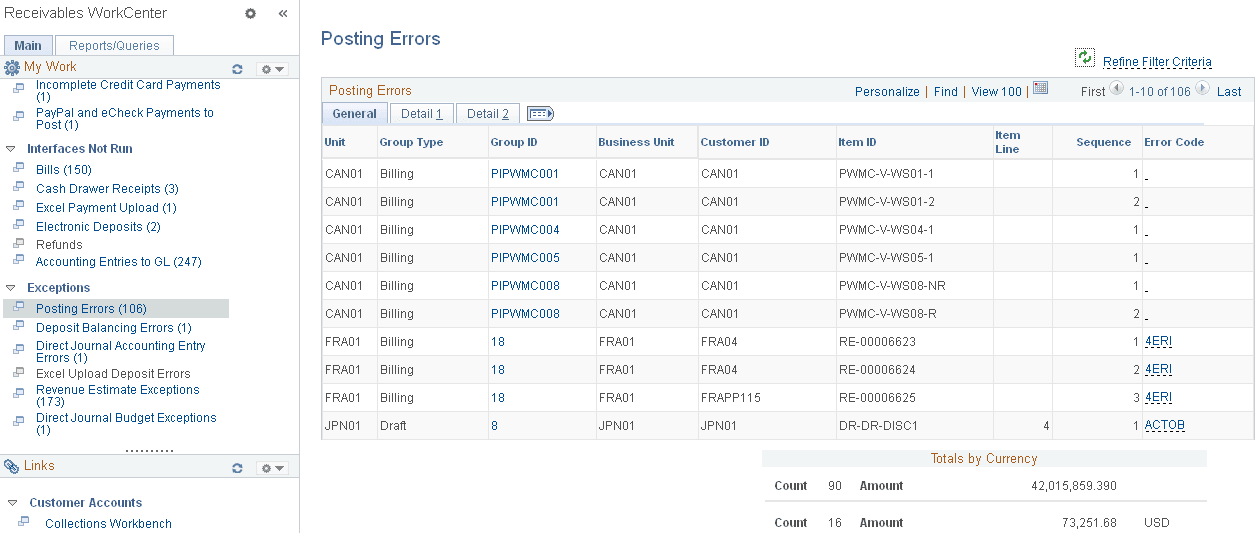
This example illustrates the fields and controls on the Posting Errors Page - General Tab.
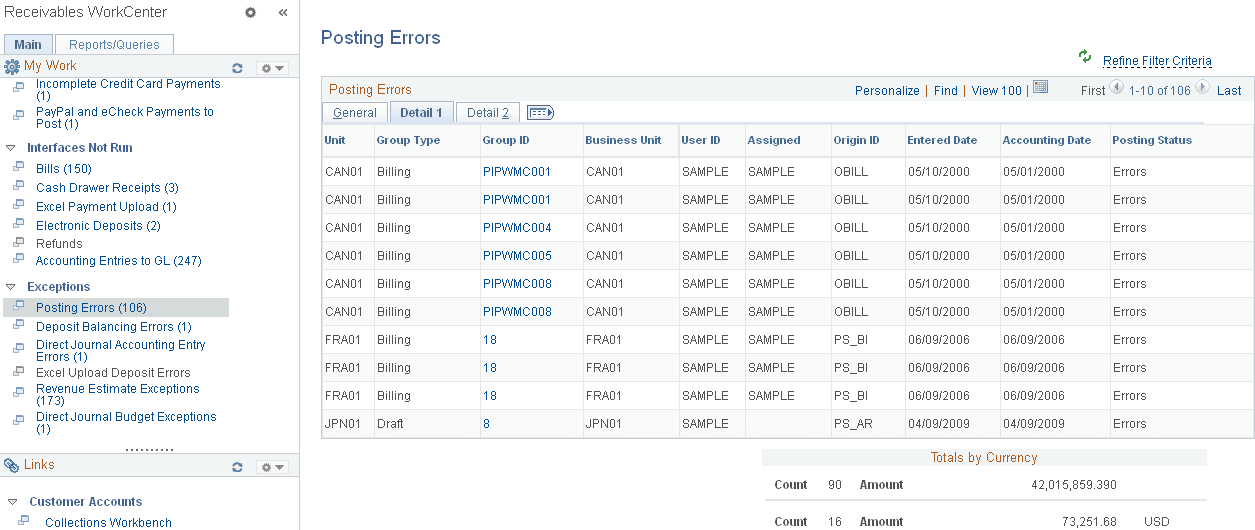
This example illustrates the fields and controls on the Posting Errors Page - Detail 1 Tab.
This example illustrates the fields and controls on the Posting Errors Page - Detail 2 Tab.
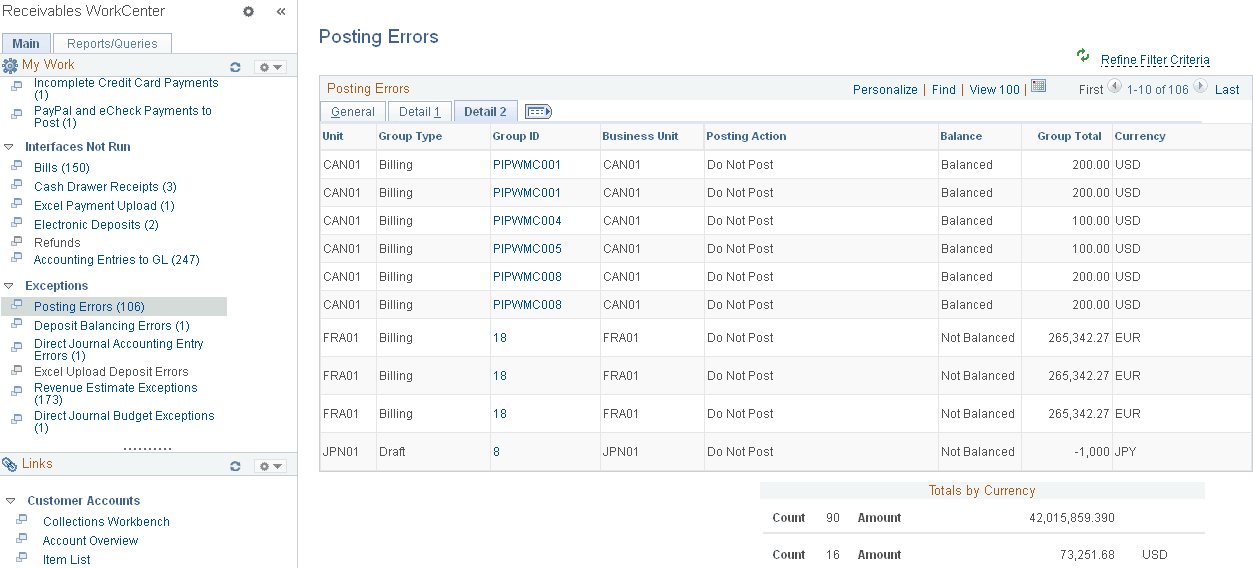
The Posting Errors grid shows results for these items and groups:
-
External Pending Items
-
Online Pending Items
-
Overdue Charge Pending Items
-
Maintenance Groups
-
Transfer Groups
-
Unpost Groups
-
Direct Debit Groups
-
Draft Groups
-
Payment Groups
| Field or Control | Description |
|---|---|
|
Group ID |
Click the link associated with a group ID to access error correction pages for Receivables Update (Accounts Receivable, Receivables Update, Correct Posting Errors). |