Deposit Balancing Errors Page
Use the Deposit Balancing Errors page (AR_WC_PYMNT_SEL) to display deposits where control totals do not equal the sum of the payments entered, including regular and express deposits.
Navigation:
Click the Exceptions: Deposit Balancing Errors link.
This example illustrates the fields and controls on the Deposit Balancing Errors Page - Detail 1 Tab.

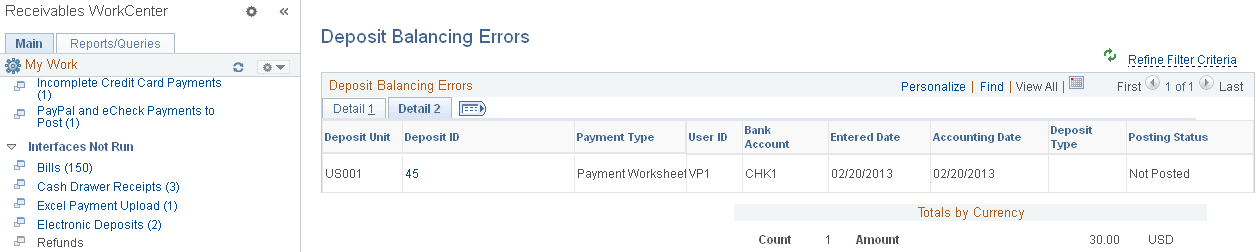
This example illustrates the fields and controls on the Deposit Balancing Errors Page - Detail 2 Tab.
| Field or Control | Description |
|---|---|
|
Deposit ID |
Click the Deposit ID link to open the Express Deposit (PAYMENT_EXPRESS) component (Accounts Receivable, Payments, Online Payments, Express Deposit) for the selected deposit, where you can correct the deposit with balancing errors. |