Direct Journal Accounting Entry Errors Page
Use the Direct Journal Accounting Entry Errors page (AR_WC_PYMNT_SEL) to correct Direct Journal accounting entry edit errors.
Navigation:
Click the Exceptions: Direct Journal Accounting Entry Errors link.
This example illustrates the fields and controls on the Direct Journal Accounting Entry Errors Page - Detail 1 Tab.

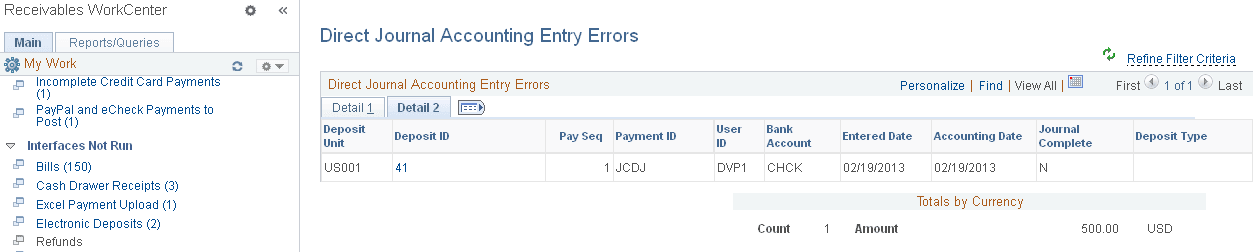
This example illustrates the fields and controls on the Direct Journal Accounting Entry Errors Page - Detail 2 Tab.
| Field or Control | Description |
|---|---|
|
Deposit ID |
Click the Deposit ID link to open the Accounting Entries page, where you can Review and correct errors for accounting entries in a maintenance group. You can also access the Accounting Entries page using these navigation paths: Accounts Receivable, Receivables Update, Correct Posting Errors, Worksheet, Accounting Entries or Accounts Receivable, Receivables Maintenance, Maintenance Worksheet, Update Accounting Entries, Accounting Entries . |