Viewing Customer Details on the Customer Hierarchy Chart
Click the Customer Details tab to view detailed information for the customer ID entered in the search criteria.
This example illustrates the fields and controls on the Customer Hierarchy - Customer Details tab (1 of 2).
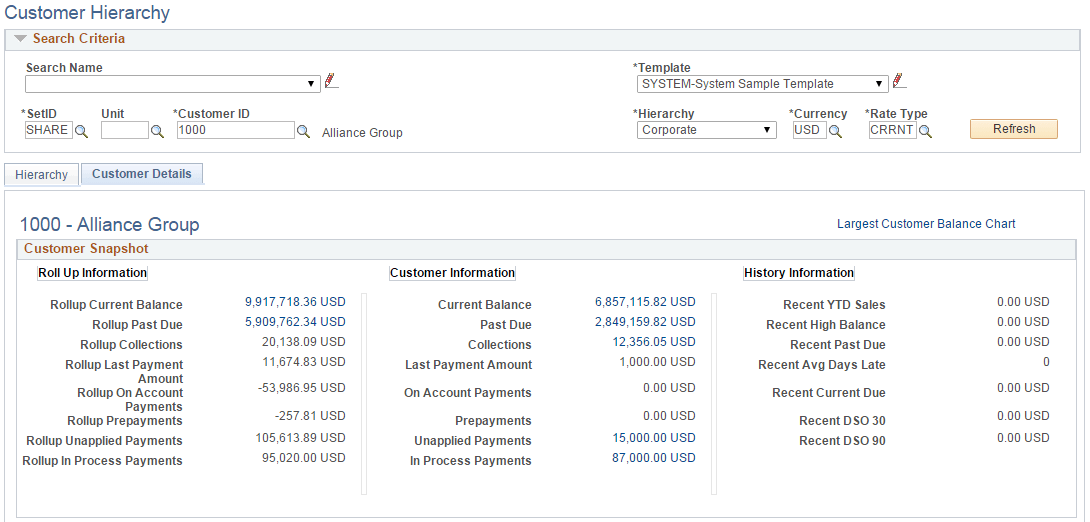
This example illustrates the fields and controls on the Customer Hierarchy - Customer Details tab (2 of 2).
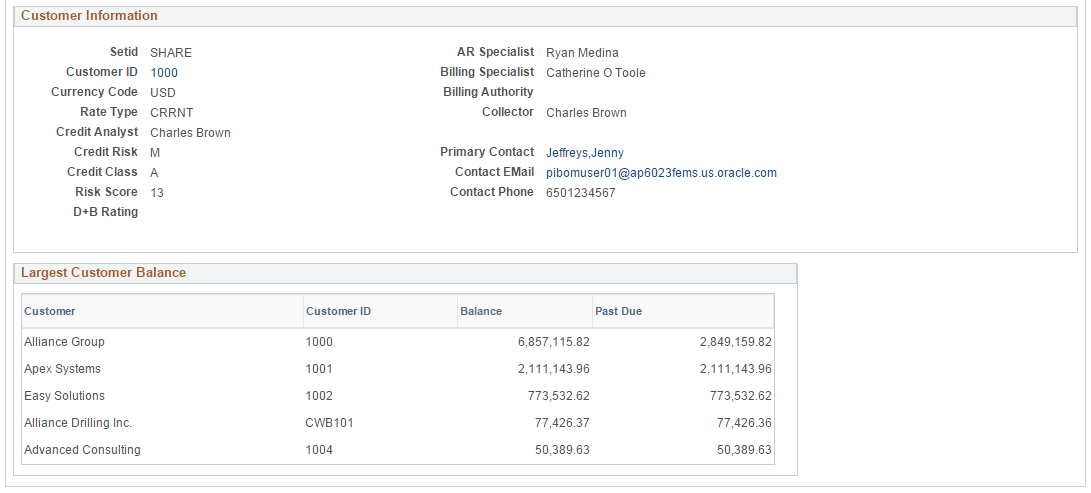
Information is grouped into three sections:
-
Customer Snapshot
-
Customer Information
-
Largest Customer Balance
The Customer Snapshot section summarizes rollup balance amounts, customer balance amounts, customer history metrics values. The Customer Information section contains general customer information, including the credit, billing, collector, and primary contact in the company.
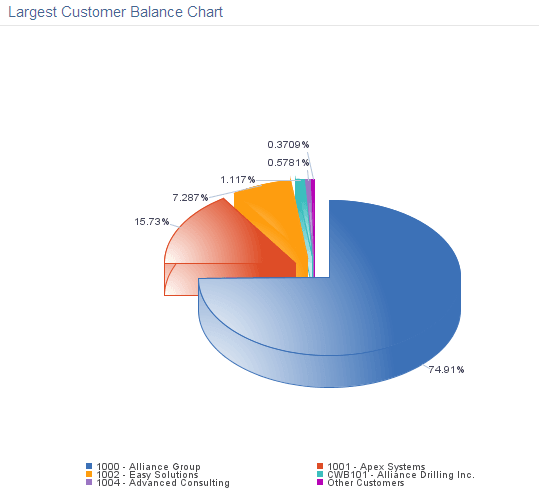
The grid in the Largest Customer Balance section shows the top five customers in the hierarchy based on Balance amount. For a visual representation, click the Largest Customer Balance Chart link at the top of the page to display a pie chart:
This example illustrates the fields and controls on the Customer Hierarchy - Largest Customer Balance Chart.