Creating Service Orders from Templates
This topic discusses how to create service orders from templates.
Page Used to Create Service Orders from Templates
| Page Name | Definition Name | Usage |
|---|---|---|
|
RS_SO_PICKTMPLT |
Create new service orders using field values from predefined templates. |
Create Service Order From Template Page
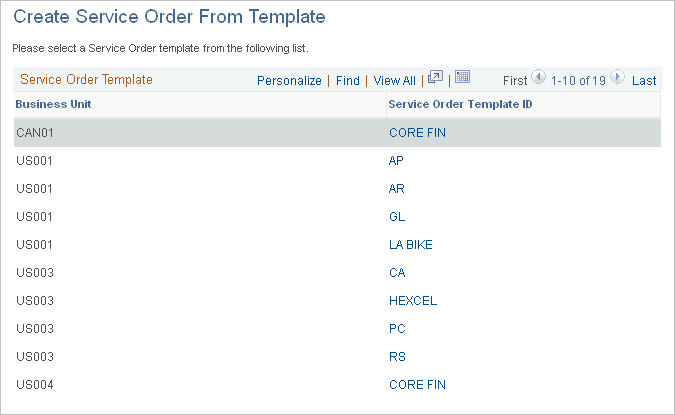
Use the Create Service Order From Template page (RS_SO_PICKTMPLT) to create new service orders using field values from predefined templates.
Navigation:
This example illustrates the fields and controls on the Create Service Order From Template page. You can find definitions for the fields and controls later on this page.
| Field or Control | Description |
|---|---|
|
Business Unit |
Displays the business unit that is associated with the template. |
|
Service Order Template ID |
Select the template to populate a new service order form. The system copies all of the information from the template to the service order. You can modify the new service order field values without affecting the template. |