Viewing Resource Management Navigation Collections
This topic provides an overview of Navigation Collections and discusses how to set up navigation collections.
Pages Used to View Navigation Collections
| Page Name | Definition Name | Usage |
|---|---|---|
|
PTPP_SCSRCH |
Search for an existing Navigation Collection that you want to edit or delete. Access pages that you can use to create new Navigation Collections. |
|
|
PTPP_SCMAINTCOLL |
Maintain Navigation Collections. |
Understanding Navigation Collections
Navigation collections are sets of links into Financials database that support the users' ability to perform key business processes in a services organization. PeopleSoft delivers Navigation Collections to facilitate the performance of key business processes. The primary users of Navigation Collections are directors, resource supervisors, project and program managers, resources, and contract and billing administrators. System administrators can modify a Navigation Collection to include links to any component or page in the Financials database.
Viewing Resource Management Navigation Collections
Resource Management Navigation Collections group common functional areas used in Resource Management into a single tile. This tile can be added to the Fluid Homepage so that a user can have easy access to the Resource Management functional areas grouped under the Resource Management Navigation Collections.
To view Navigation Collections in Resource Management:
Navigation:
Select Personalize Homepage link on the PeopleSoft Fluid Homepage.
Select , Save.
Select the Resource Management tile on the Fluid Home Page.
This example illustrates the fields and controls on the Resource Management Navigation Collections.
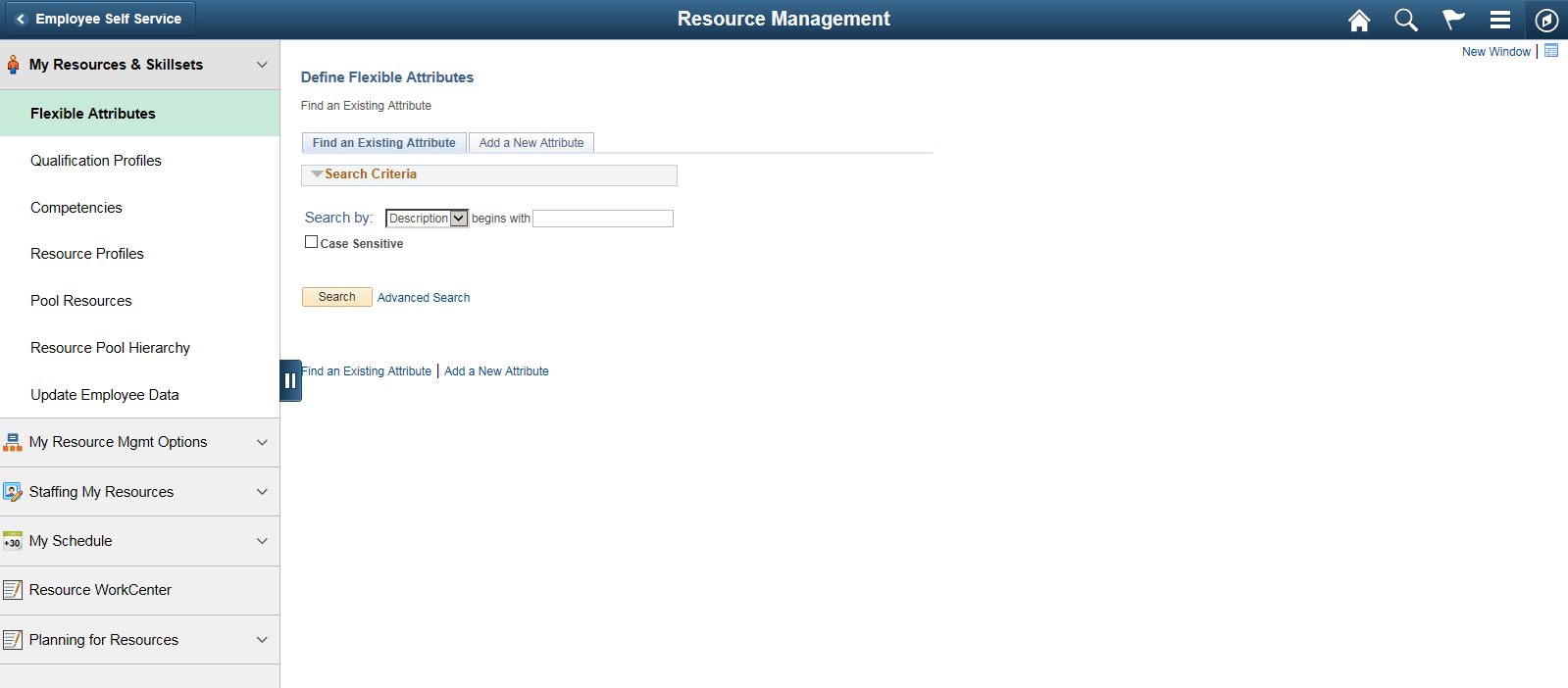
Navigation Collections - Find an Existing Collection Page
Use the Navigation Collections - Find an Existing Collection page (PTPP_SCSRCH) to search for an existing Navigation Collection that you want to edit or delete.
You can use these to create new Navigation Collections.
Navigation:
Maintain Collection - Navigation Collection Page
Use the Maintain Collection - Navigation Collection page (PTPP_SCMAINTCOLL) to maintain Navigation Collections.
Navigation:
Select the Edit link for an existing Navigation Collection on the Navigation Collections - Find an Existing Collection page.
Administrators can modify Navigation Collections as follows:
-
Search for the navigation collection that identifies the business process that you want to modify.
-
Select the Edit link corresponding to the Navigation Collection.
-
Add or edit links or folders on the Maintain Collection - Navigation Collection page.
See PeopleTools: Portal Technology, "Working With Navigation Pages."