Approved Change Request Types Pagelet
The Approved Change Request Types pagelet displays approved requests and represented by groups.
When a single change requests includes multiple types of changes, each change type will be counted separately. For example, if a change request includes a change to address and a change to contacts, the changes will be reflected in both the change types.
This example illustrates the fields and controls on the Approved Change Request Types Chart.
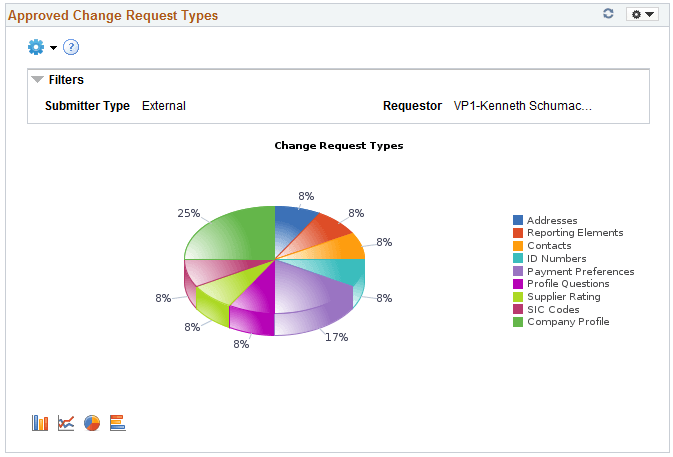
Click on the graph, and then click Detailed View to view all the change request transactions that represent the chart. You can also drill down by Submit date, Set ID, Short Supplier Name.
This example illustrates the fields and controls on the Approved Change Request Types Pivot Grid.

From the Detailed View, click the Request ID link to navigate to the View History page and view more information about the transaction.
The Prompt page for the pivot grid includes a time range selection based on the last updated date.
The Charting Options for the pivot grid includes chart filter selection options of Requestor, Set ID, Short Supplier Name, Submit Date, Submitter Type, and Type of Change.
For additional information about pivot grids, see: PeopleSoft Application Fundamentals, Using the WorkCenter for Financial and Supply Chain Applications.
See the product documentation for PeopleTools: Pivot Grid