Supplier Homepage — Internal Page (Post-Login)
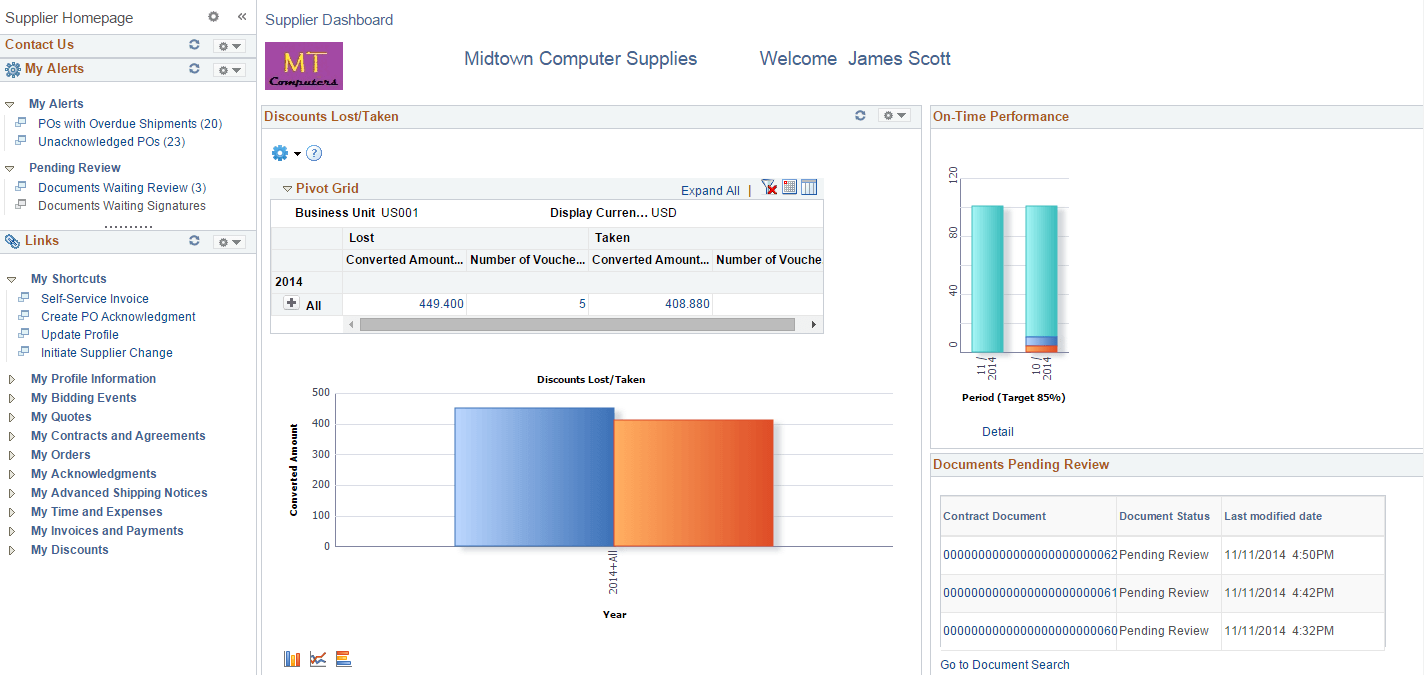
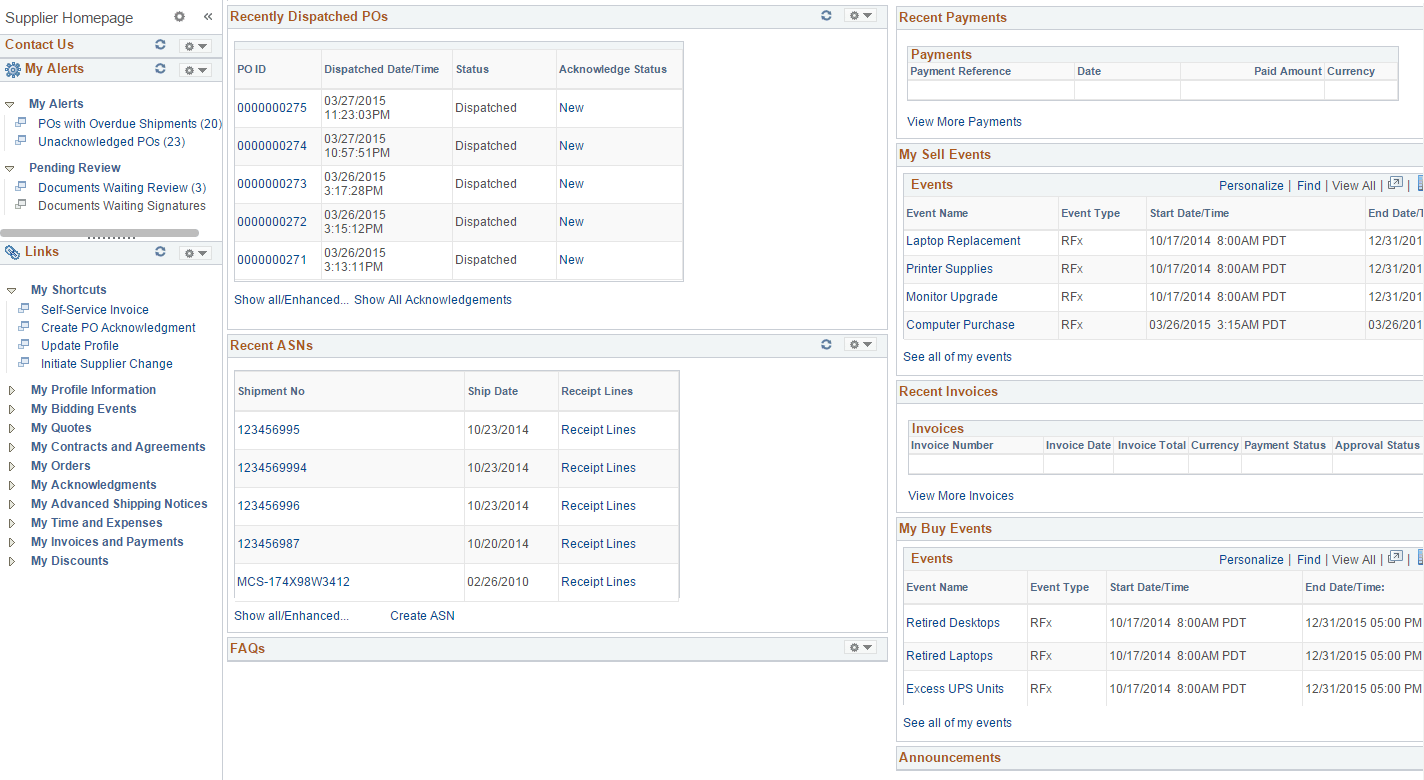
Use the post login Supplier Homepage to bring everything that a supplier user would typically need together in one easy to use location. It includes alerts and links to commonly used transactions across the Financials and Supply Chain products. It also provides access to various pagelets for viewing details, status, and analytics related to contracts, sourcing events, purchase orders, invoices and payments for the supplier that is associated to the logged in user. Users can also view and update profile information.
Navigation:
This example illustrates the fields and controls on the Supplier Homepage - Internal 1 of 2
This example illustrates the fields and controls on the Supplier Homepage - Internal 2 of 2
For a detailed understanding of administering and configuring WorkCenter pages, see the product documentation for PeopleTools: Portal Technology, “Managing WorkCenter Pages”.
For a detailed understanding of creating, administering, and configuring Dashboard pages, see the product documentation for PeopleTools: Portal Technology, “Creating and Managing WorkCenter Dashboards”.