Creating Standard Comments
To set up standard comments, use the Standard Comments (AUC_STD_COMM_COMP) component. To set up standard comment types, use the Standard Comments Type (AUC_STDCOMTYP_COMP) component.
This section lists the pages used to create standard comments.
Pages Used to Create Standard Comments
| Page Name | Definition Name | Usage |
|---|---|---|
|
AUC_STD_COMMENTS |
Create comments that you can use regularly for many events and define opening, body and closing texts for Notice of Intent to Award (NOIA )and Notice of Award (NOA). |
|
|
AUC_STD_COMM_TYPE |
Identify categories of comments, such as comments specific to sale events, for ease in identifying which comments to attach to which events. |
Standard Comments Page
Use the Standard Comments page (AUC_STD_COMMENTS) to create comments that you can use regularly for many events and define opening, body and closing texts for Notice of Intent to Award (NOIA )and Notice of Award (NOA).
Navigation:
This example illustrates the fields and controls on the Standard Comments page .
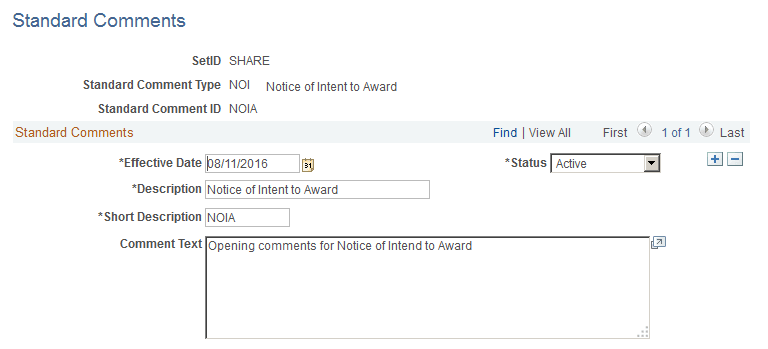
The comments that you define on this page are displayed as the opening, body, and closing text on the RTF report. Use this page to define Opening, Body and Closing texts for NOIA and NOA for a business unit.
Standard Comments Type Page
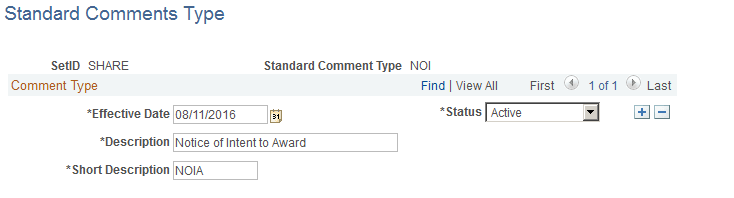
Use the Standard Comments Type page (AUC_STD_COMM_TYPE) to identify categories of comments, such as comments specific to sale events, for ease in identifying which comments to attach to which events.
Use this page to define NOIA and NOA as a comment type to build open, body and closing comments.
Navigation:
This example illustrates the fields and controls on the Standard Comments Type page.