Defining Users Signatures
To set up user signatures, use the Define Users Signature (AUC_IMAGE_COM) component.
Pages Used to Define Users Signatures
| Page Name | Definition Name | Usage |
|---|---|---|
|
AUC_IMAGE_PG |
Maintain signatures for including in the Notification of Intent to Award (NOIA) and Notification of Award (NOA). |
Define Users Signature Page
Use the Define Users Signature page (AUC_IMAGE_PG) to maintain signatures for including in the Notification of Intent to Award (NOIA) and Notification of Award (NOA).
Navigation:
This example illustrates the fields and controls on the Define Users Signature page. You can find definitions for the fields and controls later on this page.
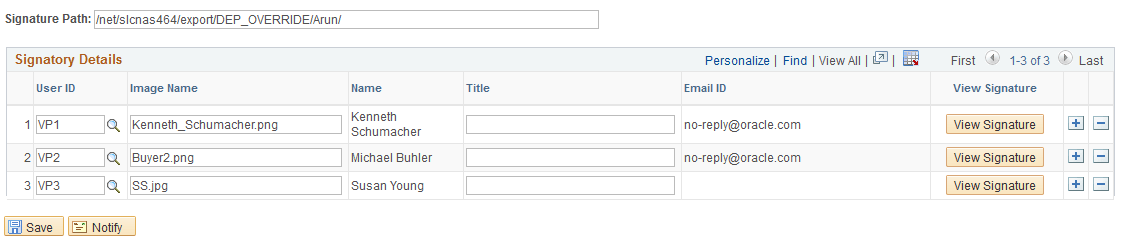
Use the add (+) or delete (-) button to add or delete a user.
| Field or Control | Description |
|---|---|
|
Signature Path |
Displays the path where signatures are stored. |
|
View Signature |
Display the signature image stored at the specified signature path. |