Edit Recipients Page
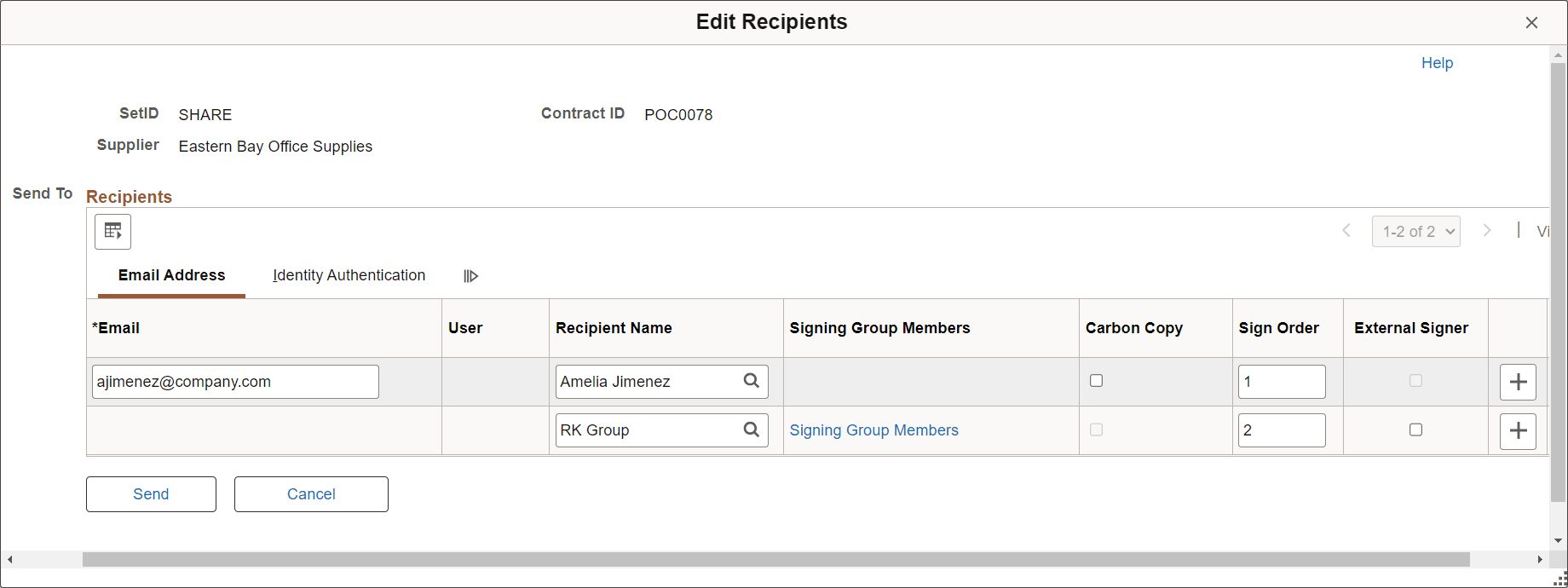
Use the Edit Recipients page (CS_ESIGN_SEND) to modify recipient information after a document has been submitted to DocuSign for signatures.
Navigation:
Click the Edit Recipients button on the Document Management page.
Edit Recipients page (1 of 2)
Edit Recipients page (2 of 2)
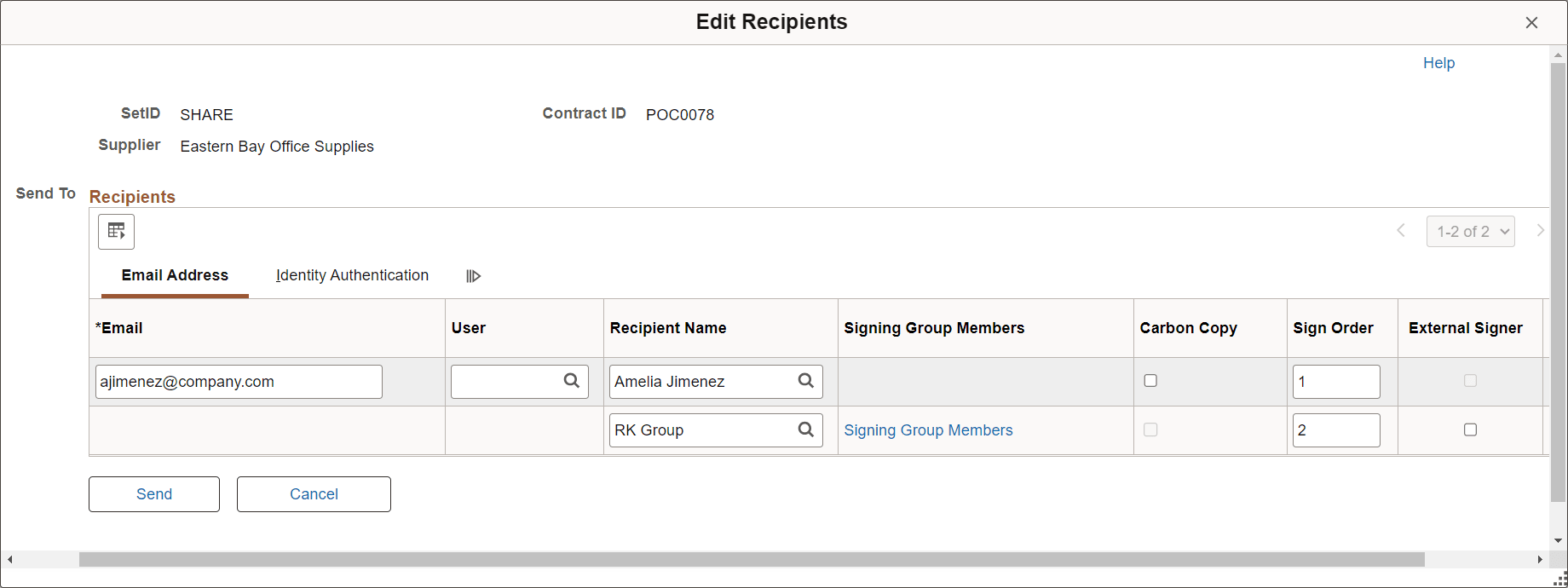
Use the Edit Recipients page to change the name or email address of a recipient, add or delete a signer, or change signing order.
You can specify a DocuSign signing group with multiple recipients using the Recipient Name field. You define Signing groups and associated users in the DocuSign account.
Use the Signing Group Members link to access the Signing Group Users page and view individual users associated with the signing group.
If a recipient has signed the document, you cannot modify their information.
See the Send Document for Signing Page for field definitions.
| Field or Control | Description |
|---|---|
|
Send |
Click to confirm your changes. If you modify an email address or delete a signer, the system revokes their access to the document and sends a confirmation email to the original address (if it is their turn to sign the document). For new recipients, the system assigns the users a signing role and sends a confirmation email (if it is their turn to sign the document). |