Supplier Contract Workbench Page (Procurement Contracts)
Use the Contract Workbench page (Procurement Contracts) to search for and manage actions for Procurement Contract documents.
Navigation:
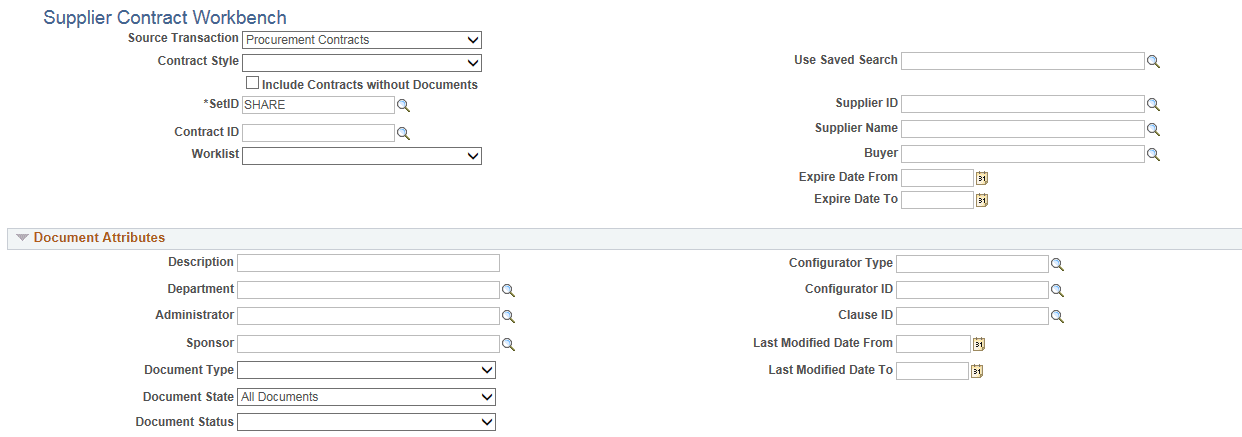
This example illustrates the fields and controls on the Supplier Contract Workbench page (Procurement Contracts) (1 of 2).
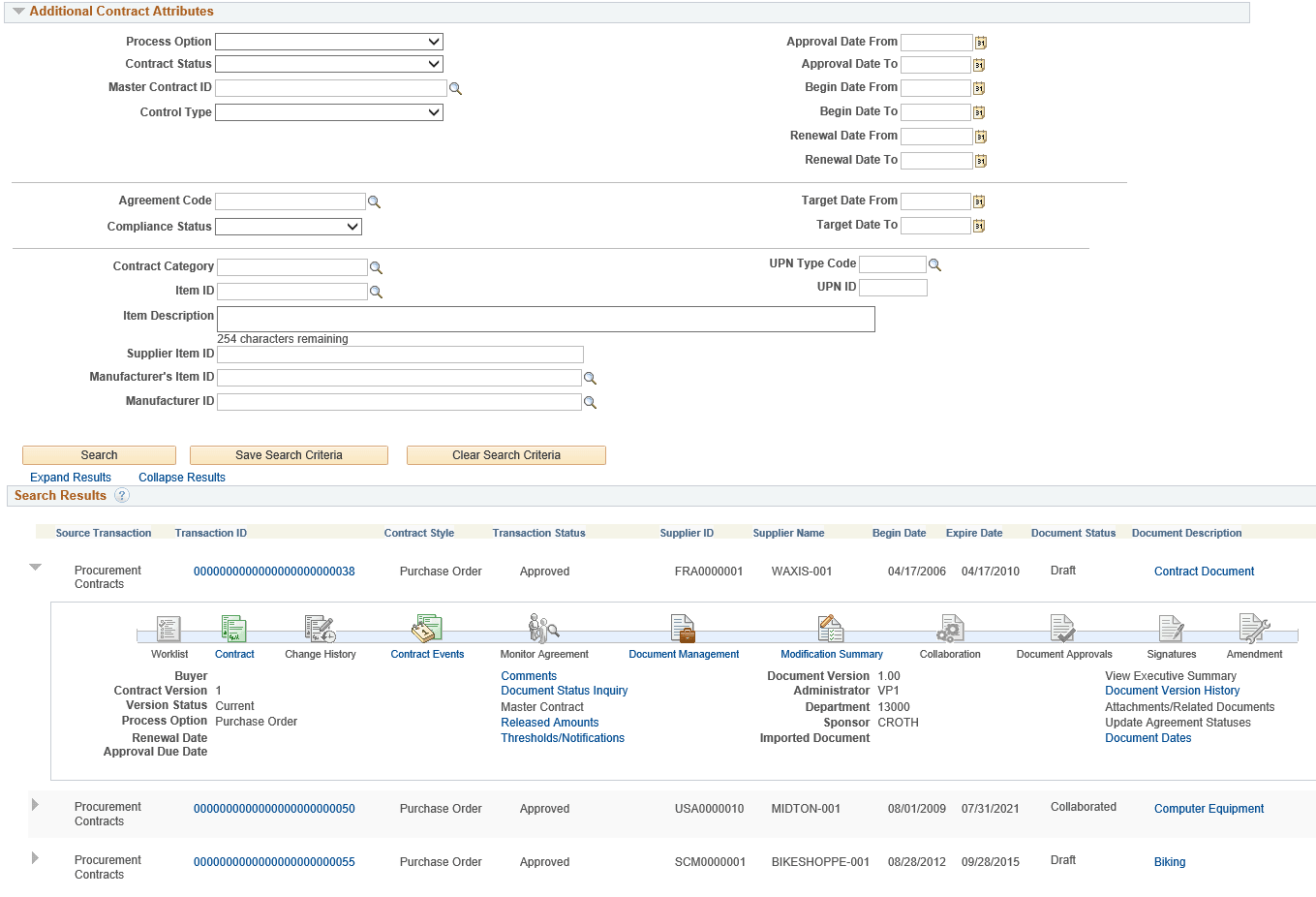
This example illustrates the fields and controls on the Supplier Contract Workbench page (Procurement Contracts) (2 of 2).
Search Fields
| Field or Control | Description |
|---|---|
|
Worklist |
Select one of these Worklist options when Procurement Contracts is selected in the Source Transaction field:
|
Search Results
Use this section to access details from your search results.
| Field or Control | Description |
|---|---|
|
Transaction ID |
Click to access the Procurement Contract component. |
|
(Document Description) |
Click to access the authored document. |
|
Begin Date and Expire Date |
Displays the begin date and the expire date from the procurement contract. |