Enable Address Autocomplete
Use the Enable Address Autocomplete (EOAA_CONFIG) page for administrators to configure the components, and countries for Address Autocomplete feature.
Navigation:
The Address Autocomplete feature offers typeahead suggestions as user begins typing in the Address 1 field, for enabled components and countries that have been configured. Upon selecting an address from the suggestions, it automatically fills in the relevant address fields.
Address can also be viewed on build-in Oracle maps secondary page using View on Map link.
Enable Component Page
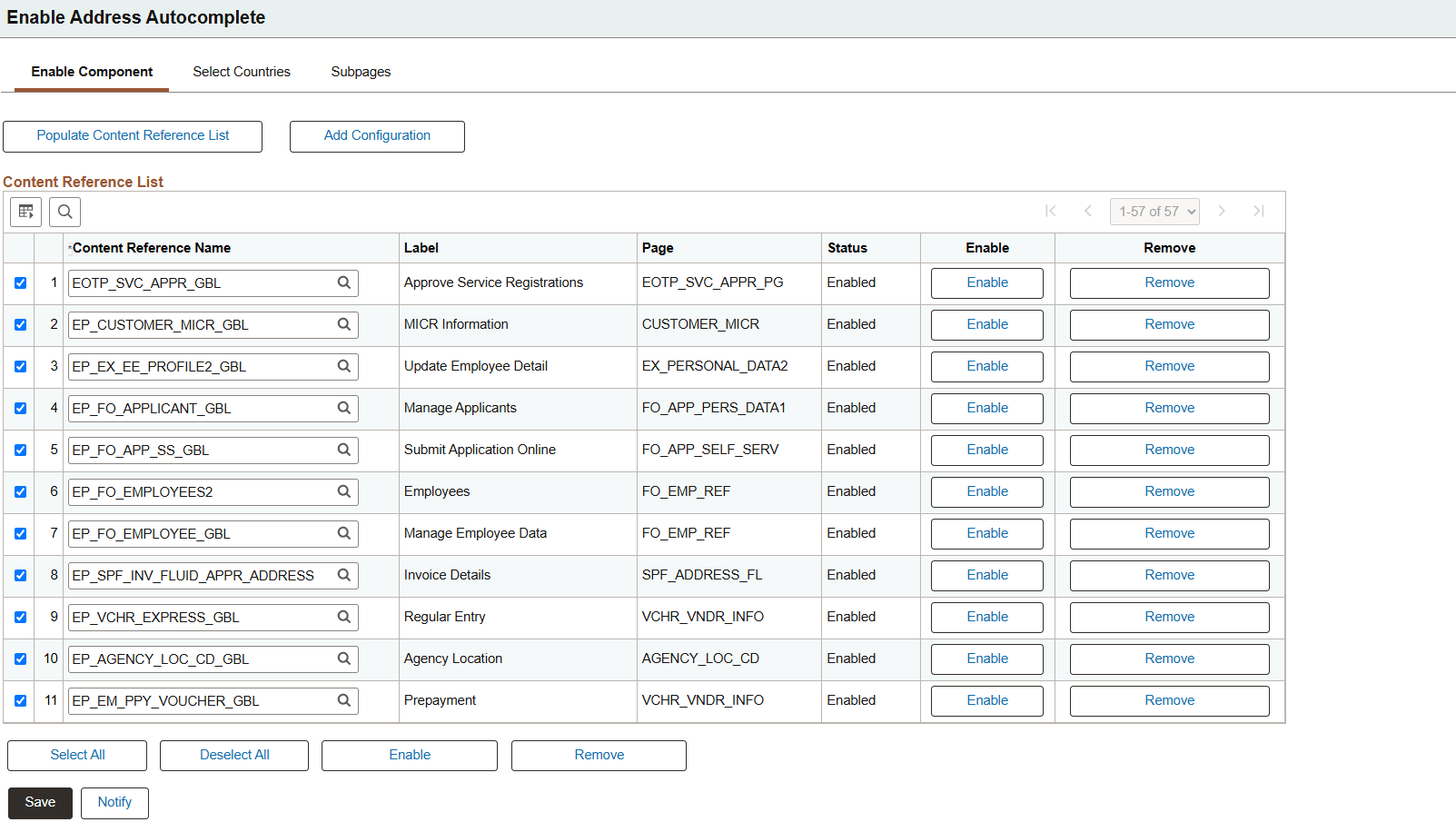
Use the Enable Component page (EOAA_PNLGRP_LIST) to enable components to use address autocomplete functionality.
Select all Content References using the Select All button, and then select Enable button provided below the Content Reference List to enable the feature for all the content reference in the grid. Optionally, this functionality can also be enabled for selected few components as required.
The Content Reference List will show Content References registered in the portal currently being accessed.
This example illustrates the fields and controls on the Enable Component page.
| Field or Control | Description |
|---|---|
|
Populate Content Reference List |
Select to populate the Content Reference List grid with delivered content references that contain address fields eligible for Address Autocomplete. |
|
Add Configuration |
Select to add a content reference configuration manually. |
|
Content Reference Name |
Displays the content reference for the page where Address Autocomplete can be enabled. |
|
Page |
Displays the PeopleSoft page definition associated with the content reference, which has address fields. |
|
Status |
Displays the current Address Autocomplete status for the content reference. |
|
Enable |
Select to enable Address Autocomplete for the content reference. This creates an entry on Event Mapping for the Content Reference and the page, which enable the Autocomplete. |
|
Remove |
Select to remove the content reference from the Address Autocomplete configuration list. This will also remove the Event Mapping entry. Use Populate Content Reference List button to get the deleted Content Reference row again in the grid. Note that it will have to be enabled again. |
Select Countries Page
Use the Select Countries page (EOAA_COUNTRY_LIST) to remove countries from use in address autocomplete functionality, or to add new countries provided those have full coverage on Oracle Maps.
This example illustrates the fields and controls on the Select Countries page.
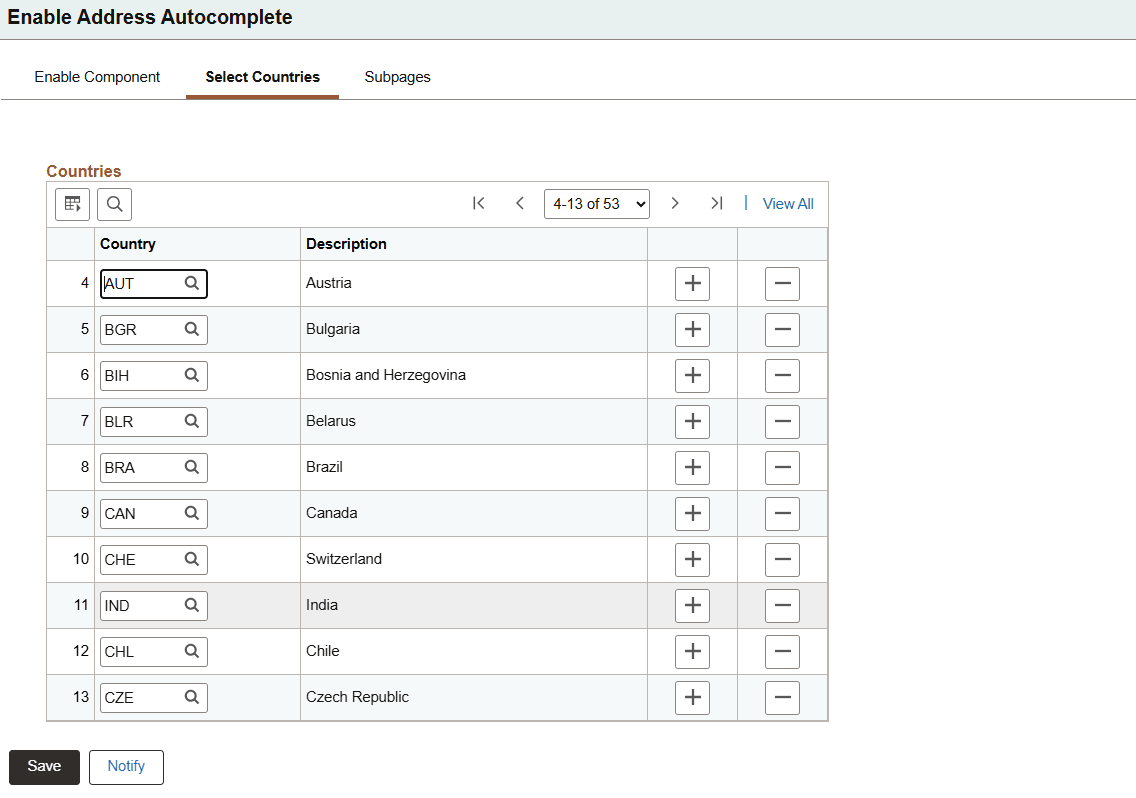
Add a country code for which Address Autocomplete is to be enabled.
Note:
Users cannot use Address Autocomplete apart from the countries listed in the Select Countries page.
Subpages Page
Use the Subpages page (EOAA_SUBPAGE) to view subpages being used in address autocomplete functionality.
Note:
The Subpage List is a prepopulated table. Do not make any changes to the Subpage List.This example illustrates the fields and controls on the Enable Component page.
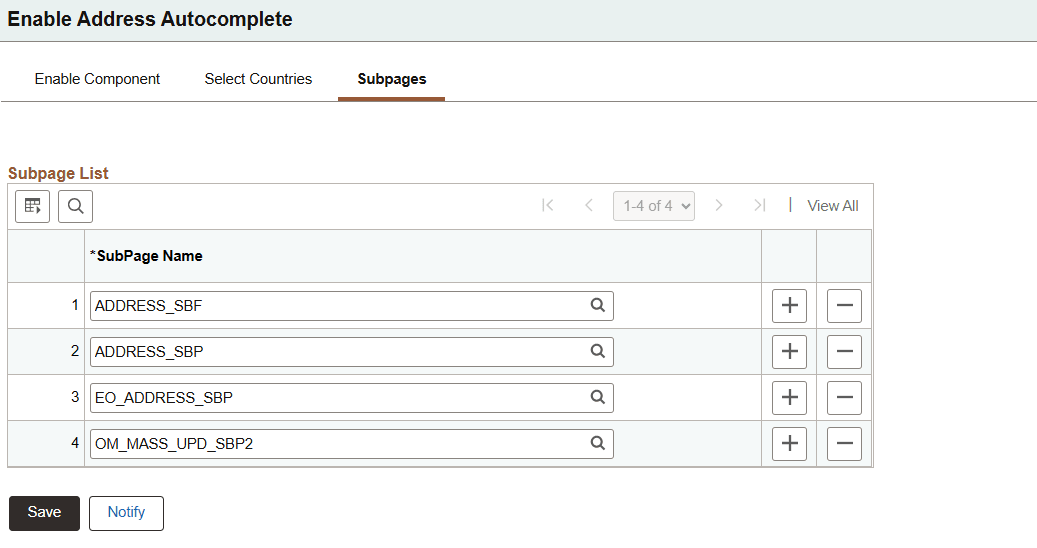
Enter or select an address subpage where Address Autocomplete is to be enabled.