9.1.3 Activating Queue Definitions
You activate the queue definitions.
To activate:
-
Select PeopleTools, Integration Broker, Integration Setup, Queue Definitions.
-
On the Queue search page, search for and select the queue name EXPENSES.
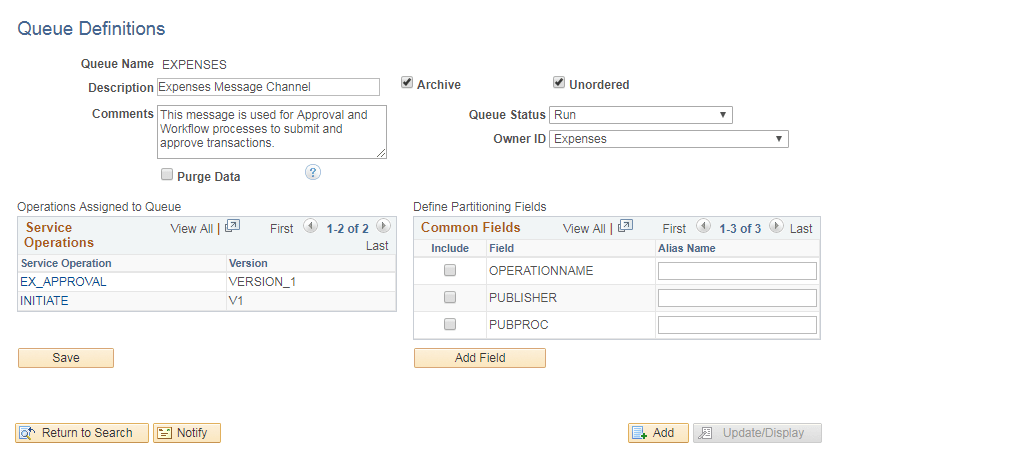
The Queue Definitions page appears, as shown in the following example:
Figure 9-1 Queue Definitions page
-
On the Queue Definitions page, in the Queue Status field, select Run from the drop-down list box.
-
Click Save.