9.1.4 Setting up Service and Handlers
You set up the service and handlers.
To set up service and handler:
-
Select PeopleTools, Integration Broker, Integration Setup, Service Operation Definitions.
-
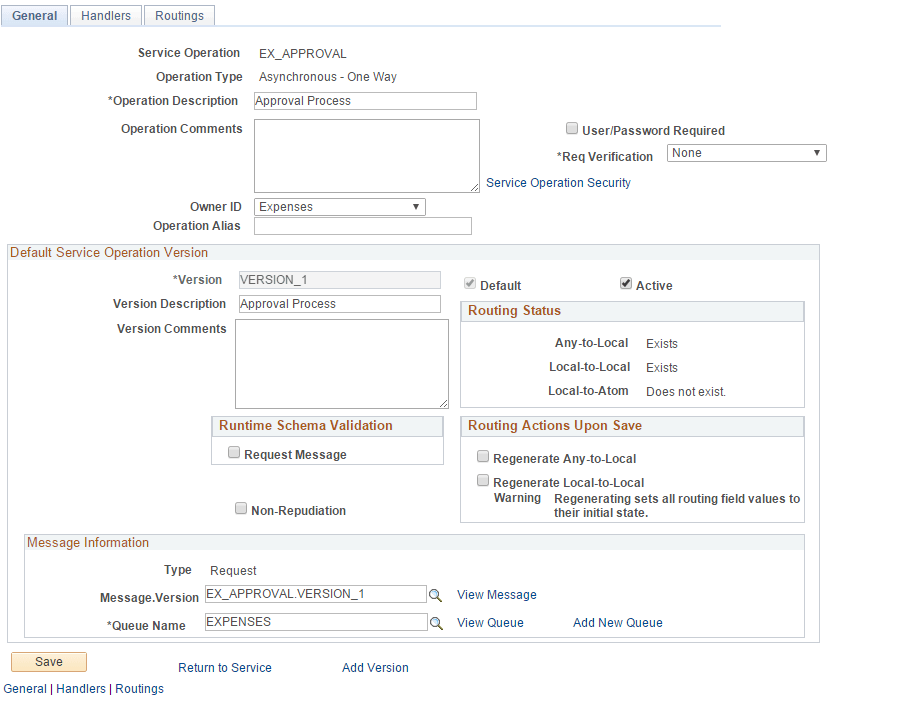
On the Service Operations search page, search for and select the service operation EX_APPROVAL.
The Service Operations - General page appears, as shown in the following example:
Figure 9-2 Service Operations-General page
-
On the General page, in the Default Service Operation Version group box, select the Active check box.
-
Click Save.
-
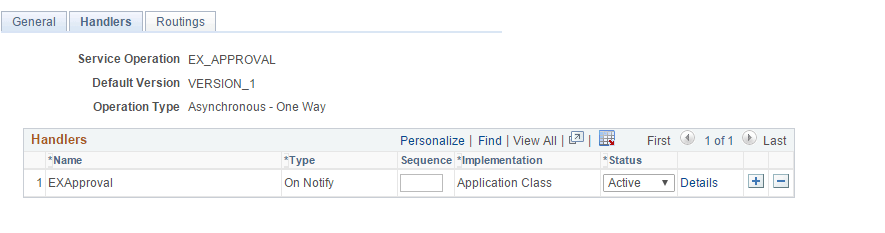
Select the Handlers tab to access the Handlers page, as shown in the following example:
Figure 9-3 Service Operations - Handlers page
-
On the Handlers page, in the Status field, select Active from the drop-down list box.
-
Click Save.
-
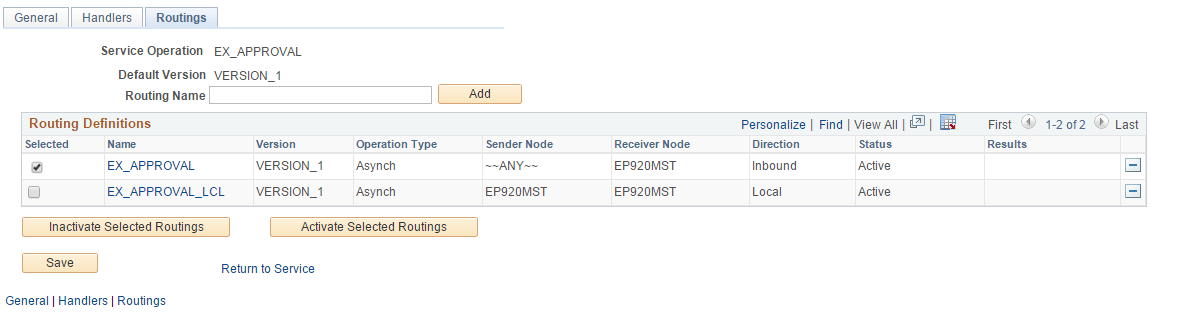
Select the Routings tab to access the Routings page, as shown in the following example:
Figure 9-4 Service Operation-Routings page
-
On the Routings page, in the Routing Definitions group box, select the check boxes for the routings that you want to activate.
-
Click the Activate Selected Routings button.
-
Click Save.